Automated Rocket Lawyer Document Onboarding
Every hour, WebRun checks Rocket Lawyer for documents created since the last run, builds a Notion review checklist matched to that document type, and adds a row to Google Sheets so every new contract or form is tracked from draft to signature.
How do I set up a review checklist for new Rocket Lawyer documents?
WebRun checks Rocket Lawyer every hour for documents created since the last run. It builds a Notion review checklist matched to that document type and logs it to Google Sheets, so every new contract or form gets the same review steps before anyone signs, instead of relying on memory to catch an error.
- Every new document gets the same review checklist before signing
- Documents are tracked from draft to signature in one sheet
- Nothing gets signed without a names, dates, and terms check
Built for small business owners · freelancers · startup founders · office managers handling contracts
What does WebRun do on every run?
The exact actions WebRun takes, in order - in plain language, so you can adjust anything.
-
WebRun signs in and gets to work
Opens
www.rocketlawyer.comin a real browser with your saved login - no setup, no API keys. -
1
Rocket Lawyer - find newly created documents
rocketlawyer.com
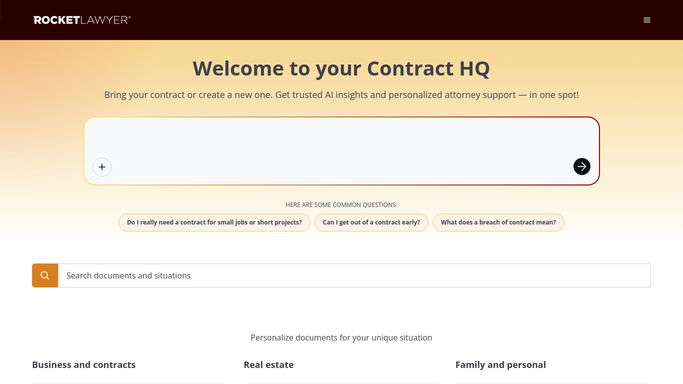
WebRun opens Rocket Lawyer to find newly created documents. - Open Rocket Lawyer and check for documents created since the last run
- Capture the document type and the person it's for
- Note whether it still needs a lawyer review
Done when Every newly created document is listed with its type.
-
2
Notion - build the review checklist
notion.so

WebRun opens Notion to build the review checklist. - Create a checklist page for each new document using the template for its type
- List review steps such as check names, dates, and terms
- Mark whether a lawyer review was requested
Done when Every new document has a Notion review checklist.
-
3
Google Sheets - log the document and status
google.com

WebRun opens Google Sheets to log the document and status. - Append a row for each new document with its type and status
- Set the status to in review
- Update the row to signed once it's completed
Done when The document log sheet reflects every newly created document.
How is each run configured?
Secure by default
Connect once, stays signed in
WebRun signs in once and keeps each session in a persistent environment, so every run picks up right where it left off.
Every action is checked against this policy before it runs.
Questions, answered
Does it sign or submit the document?
No. WebRun only builds a review checklist and logs the document's status. Signing or submitting a document always stays a decision for you.
Does it give legal advice?
No. The checklist only prompts a review of names, dates, and terms. Any legal question goes through Rocket Lawyer's own ask a lawyer service, not WebRun.
What happens once a document is signed?
Update the Google Sheets row to signed, so the log always shows what's still in review versus what's complete.
Related templates
Put this on autopilot.
Turn it on in minutes - or have our team set it up for you.