Get a daily Robin desk and room utilization digest
Every morning, WebRun opens Robin, reads yesterday's desk and room bookings across every location, logs the utilization counts to Google Sheets, and updates a Notion page tracking how office usage is trending week over week.
- No credit card
- Under $0.01 per run
- Cancel anytime
How do I track daily Robin desk and room utilization?
WebRun reads Robin's desk and room booking activity every morning for the day before, logs the utilization by location to Google Sheets, and updates a Notion page tracking how office usage trends week over week. Facilities teams see space utilization patterns without pulling Robin reports by hand.
- Utilization is tracked daily without manual reporting
- Usage trends are visible in Notion over weeks, not just a snapshot
- Facilities teams spot underused space before a lease renewal decision
Built for facilities managers · workplace experience teams · office operations · real estate teams
What does WebRun do on every run?
The exact actions WebRun takes, in order - in plain language, so you can adjust anything.
-
WebRun signs in and gets to work
Opens
robinpowered.comin a real browser with your saved login - no setup, no API keys. -
1
Robin - read yesterday's bookings
robinpowered.com
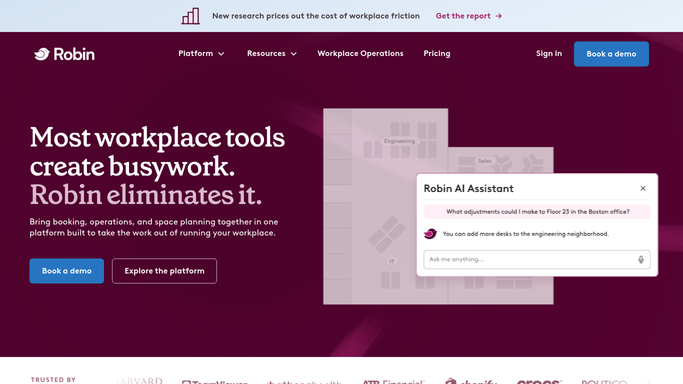
WebRun opens Robin to read yesterday's bookings. - Open Robin and list desk and room bookings from yesterday
- Count bookings and check-ins by location
- Note any room or desk with an unusually high no-show rate
Done when Yesterday's full booking activity has been read and counted.
-
2
Google Sheets - log utilization by location
google.com How to Automate Google Sheets

WebRun opens Google Sheets to log utilization by location. - Add a row for yesterday's utilization by location
- Break it down by desks and rooms separately
- Keep one running sheet across all locations
Done when Yesterday's utilization is logged as a row in Google Sheets.
-
3
Notion - track the usage trend
notion.so How to Automate Notion

WebRun opens Notion to track the usage trend. - Update the office usage Notion page with the latest numbers
- Show the trend over the past several weeks
- Flag any location with a notable drop or spike
Done when The Notion trend page reflects yesterday's utilization.
How is each run configured?
Secure by default
Connect once, stays signed in
WebRun signs in once and keeps each session in a persistent environment, so every run picks up right where it left off.
Every action is checked against this policy before it runs.
Questions, answered
Does it change any bookings?
No. WebRun only reads booking and check-in data already recorded in Robin. It never books, cancels, or reassigns a desk or room.
Does it identify individual employees?
No. It reports counts and utilization by location, not who booked what, so the digest stays focused on space usage.
How is a no-show rate calculated?
It compares bookings against actual check-ins already recorded in Robin, so the rate reflects real data, not an estimate.
Related templates
Put this on autopilot.
Turn it on in minutes - or have our team set it up for you.