Get a weekly Ringover call scorecard by rep
Every Monday, WebRun opens Ringover, compiles calls made, talk time, and connect rate by rep for the past week, saves the full report to Google Drive, and posts a summary highlighting the top connect rate to Slack so the team sees performance at the start of the week.
- No credit card
- Under $0.01 per run
- Cancel anytime
How do I get a weekly Ringover call scorecard by rep?
WebRun compiles calls made, talk time, and connect rate by rep from Ringover every Monday, saves the full scorecard to Google Drive, and posts a summary highlighting the top connect rate to Slack, so the team starts the week seeing performance without anyone pulling a Ringover report by hand.
- Rep performance is compiled every Monday without a manual pull
- The top connect rate is called out directly in Slack
- A running trend is kept in one shared Drive document
Built for sales teams · call center supervisors · sales managers · operations leads
What does WebRun do on every run?
The exact actions WebRun takes, in order - in plain language, so you can adjust anything.
-
WebRun signs in and gets to work
Opens
ringover.comin a real browser with your saved login - no setup, no API keys. -
1
Ringover - compile last week's call activity
ringover.com
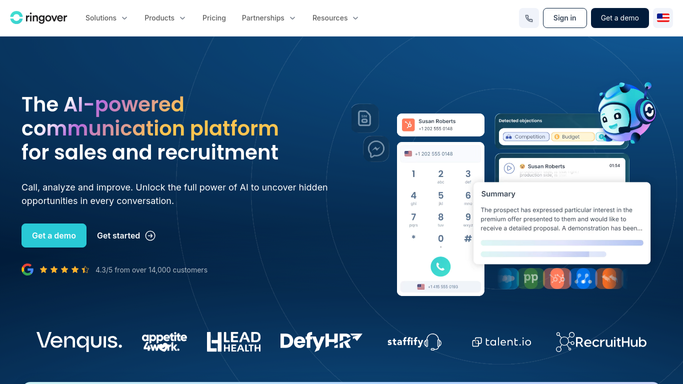
WebRun opens Ringover to compile last week's call activity. - Open Ringover reporting for the last 7 days
- Pull calls made, talk time, and connect rate by rep
- Rank reps by connect rate
Done when Last week's call activity is compiled and ranked by rep.
-
2
Google Drive - save the full report
drive.google.com How to Automate Google Drive

WebRun opens Google Drive to save the full report. - Open the shared call scorecard document in Google Drive
- Add this week's numbers by rep
- Keep prior weeks for a trend view
Done when This week's scorecard is saved to the shared Drive document.
-
3
Slack - post the summary
slack.com How to Automate Slack

WebRun opens Slack to post the summary. - Post the top connect rate and total calls to the team channel
- Note any rep with a notable change from last week
- Link to the full report in Drive
Done when The team has this week's scorecard summary in Slack.
How is each run configured?
Secure by default
Connect once, stays signed in
WebRun signs in once and keeps each session in a persistent environment, so every run picks up right where it left off.
Every action is checked against this policy before it runs.
Questions, answered
Does WebRun rank reps for performance reviews?
No. It only compiles call activity already recorded in Ringover into a shared scorecard. Any performance decision is made by your management team.
What counts as connect rate?
Answered calls divided by calls attempted, the same connect data Ringover already tracks, just compiled and ranked by rep in one place.
Can I see more than this week's numbers?
Yes, the Google Drive document keeps every prior week, so a rep's trend over time is visible, not just the latest snapshot.
Related templates
Put this on autopilot.
Turn it on in minutes - or have our team set it up for you.