Automated RingCentral Missed Call Follow-Up
Every hour during business hours, WebRun opens RingCentral, lists missed calls and new voicemails since the last run, saves each recording and transcript into a dated Google Drive folder, and queues a short callback text in Twilio for every missed caller, held as a draft until you approve it.
How do I follow up on missed business calls automatically?
WebRun checks RingCentral each hour for missed calls and new voicemails, saves every recording and transcript into a dated Google Drive folder, and drafts a short callback text in Twilio for each missed caller. You approve the queue, and nothing is sent to a customer until you do.
- Every missed caller gets a same day callback text once approved
- Voicemails and transcripts are archived and searchable in Drive
- Repeat missed callers are escalated to a phone call, not another text
Built for service businesses · clinics and practices · sales teams · support desks
What does WebRun do on every run?
The exact actions WebRun takes, in order - in plain language, so you can adjust anything.
-
WebRun signs in and gets to work
Opens
app.ringcentral.comin a real browser with your saved login - no setup, no API keys. -
1
RingCentral - find missed calls and voicemails
ringcentral.com
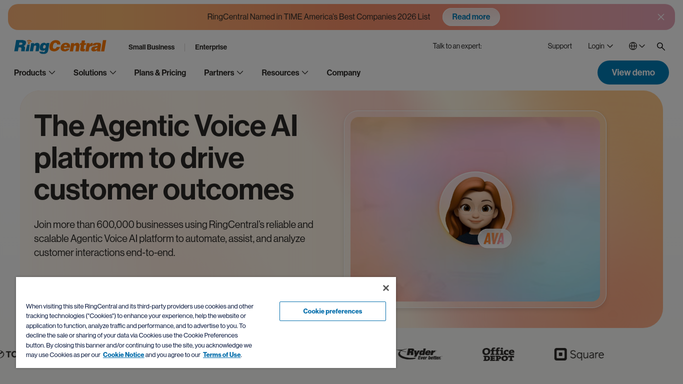
WebRun opens RingCentral to find missed calls and voicemails. - Open RingCentral and go to the call log and voicemail views
- List every missed call and new voicemail since the last run
- Capture the caller number, the extension or queue it hit, the time and the duration
- Read the voicemail transcript where one exists and note what the caller wanted
- Skip anyone already called back or already answered on a later attempt
Done when Every missed call and voicemail from this window is listed with its caller and context.
-
2
Google Drive - archive recordings and transcripts
drive.google.com

WebRun opens Google Drive to archive recordings and transcripts. - Open your Calls folder in Google Drive and create a subfolder for today
- Save each voicemail recording and its transcript with the caller number and time in the filename
- Append a row to the running call log document: caller, queue, time, what they wanted, status
- Keep the folder structure by month so old calls stay findable
Done when Every voicemail from this run is filed in Drive and logged in the call log.
-
3
Twilio - queue callback texts for approval
twilio.com

WebRun opens Twilio to queue callback texts for approval. - Draft a short, polite callback text per missed caller, referencing what the voicemail asked for
- Leave every message queued and unsent for a human to review
- Flag callers who have now missed you twice so they get a phone call instead of a text
- Send nothing until a person approves the queue
Done when A callback text is drafted and waiting for approval for every missed caller.
How is each run configured?
Secure by default
Connect once, stays signed in
WebRun signs in once and keeps each session in a persistent environment, so every run picks up right where it left off.
Every action is checked against this policy before it runs.
Questions, answered
Will it text my callers without me?
No. Every callback text is drafted and left in the queue for a person to approve. WebRun never sends a message to a customer on its own.
What happens to callers we already rang back?
They are skipped. WebRun reads the live RingCentral call log each run, so anyone already reached does not get a duplicate draft.
Where do voicemail recordings end up?
In a dated folder in your Google Drive, with the transcript beside the audio and a row in a running call log, so any call can be found by caller number or date later.
Related templates
Put this on autopilot.
Turn it on in minutes - or have our team set it up for you.