Keep transport pickups from slipping through the cracks
Every morning and before each scheduled pickup, WebRun opens RDN, finds recovered units awaiting transport, texts your driver or hauler a pickup reminder over Twilio, and posts a Slack list of what is still waiting.
- No credit card
- Under $0.01 per run
- Cancel anytime
What does WebRun do on every run?
The exact actions WebRun takes, in order - in plain language, so you can adjust anything.
-
WebRun signs in and gets to work
Opens
www.recoverydatabase.netin a real browser with your saved login - no setup, no API keys. -
1
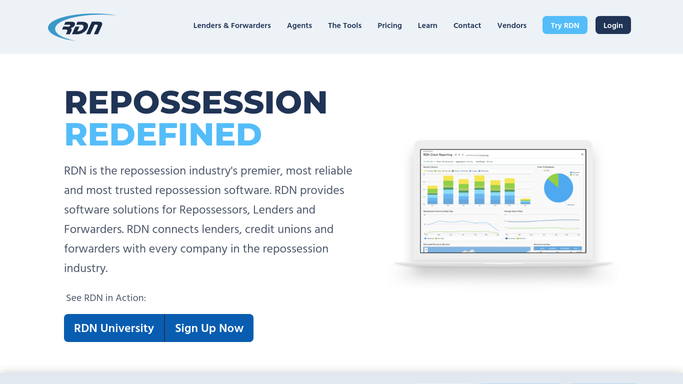
RDN (Recovery Database Network) - find recovered units awaiting transport
recoverydatabase.net How to Automate RDN (Recovery Database Network)

WebRun opens RDN (Recovery Database Network) to find recovered units awaiting transport. - Open RDN and list recovered units still waiting on transport to your yard or an auction site
- Check each unit's scheduled pickup date and time if one is logged
- Flag any unit with no pickup scheduled yet
Done when Every unit awaiting transport has its pickup status checked.
-
2
Twilio - remind the driver or hauler
twilio.com How to Automate Twilio
WebRun opens Twilio to remind the driver or hauler. - Text the assigned driver or transport contact a reminder 2 hours ahead of each scheduled pickup
- Include the pickup address and vehicle details
- Send a same day reminder for any pickup scheduled but not yet confirmed
Done when Every scheduled pickup for the day has had a reminder sent ahead of time.
-
3
Slack - list what's still waiting
slack.com How to Automate Slack
WebRun opens Slack to list what's still waiting. - Post your team a list of units still waiting on transport with no pickup scheduled
- Sort by how many days each has been waiting
- Flag the oldest ones so they get scheduled first
Done when Your team has a list of unscheduled units, oldest first.


How do I make sure transport pickups for recovered vehicles don't get missed?
WebRun checks RDN each morning and before every scheduled pickup for recovered units awaiting transport, texts your driver or hauler a reminder over Twilio with the address and vehicle details 2 hours ahead, and posts a Slack list of any units still waiting on a pickup to be scheduled, oldest first, so nothing sits in a lot too long.
- Scheduled pickups get a reminder 2 hours out, every time
- Unscheduled units surface before they sit in a lot for weeks
- Oldest waiting units are flagged first so nothing gets forgotten
Built for repossession agencies · transport and tow coordinators · storage yard managers
How is each run configured?
Secure by default
Connect once, stays signed in
WebRun signs in once and keeps each session in a persistent environment, so every run picks up right where it left off.
Every action is checked against this policy before it runs.
Questions, answered
Does it text an outside transport company or just your own driver?
Either, depending on how you run transport. If you use your own driver it texts them directly, and if you use a regular subcontracted hauler it sends the same pickup confirmation to their known contact. It is a routine scheduling reminder, not a customer message.
What if a unit has no pickup scheduled at all?
It shows up on the Slack list of unscheduled units, sorted with the longest waiting units first, so your team can get it on someone's calendar before it sits too long.
Does this book or confirm the transport appointment itself?
No. It only reminds based on a pickup time already logged in RDN or your schedule. Booking the appointment is still your team's call.
Related templates
Put this on autopilot.
Turn it on in minutes - or have our team set it up for you.