Route redemption requests to the right person fast
Every 15 minutes during business hours, WebRun checks RDN for a new redemption inquiry, pulls the payoff, lienholder, and storage fee details, logs it to a Google Sheet queue, and posts your office manager a Slack alert to make the call. It never contacts the debtor directly.
- No credit card
- Under $0.01 per run
- Cancel anytime
What does WebRun do on every run?
The exact actions WebRun takes, in order - in plain language, so you can adjust anything.
-
WebRun signs in and gets to work
Opens
www.recoverydatabase.netin a real browser with your saved login - no setup, no API keys. -
1
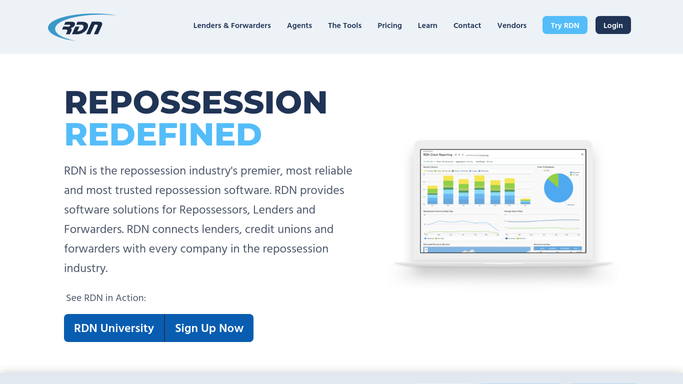
RDN (Recovery Database Network) - pull payoff and lienholder details
recoverydatabase.net How to Automate RDN (Recovery Database Network)

WebRun opens RDN (Recovery Database Network) to pull payoff and lienholder details. - Check RDN for any case newly flagged or noted as a redemption inquiry
- Pull the lienholder contact, current payoff or reinstatement figures on file, and days in storage
- Note any deadline already on record for that case
Done when Every new redemption inquiry has its payoff, lienholder, and deadline details pulled from RDN.
-
2
Google Sheets - log the redemption queue
google.com How to Automate Google Sheets
WebRun opens Google Sheets to log the redemption queue. - Open the redemption request queue
- Add a row with the debtor, vehicle, payoff figures, and deadline
- Mark its status as pending until your office manager logs contact
Done when The queue shows every open redemption request and its current status.
-
3
Slack - alert the office manager to call back
slack.com How to Automate Slack
WebRun opens Slack to alert the office manager to call back. - Post your office manager an alert with the compiled payoff and deadline details
- Flag it urgent if the deadline is close
- Leave the debtor callback itself for your office manager. WebRun does not contact the debtor
Done when Your office manager has everything needed to call the debtor back, without WebRun making contact itself.


How do I route a vehicle redemption request to the right person quickly?
WebRun checks RDN every 15 minutes during business hours for a new redemption inquiry, pulls the payoff figures, lienholder contact, and any deadline already on file, and logs it to a tracked Google Sheet queue. It then alerts your office manager in Slack to make the callback, and never contacts the debtor directly itself.
- Redemption inquiries reach your office manager within 15 minutes
- Payoff and deadline details are compiled before the callback, not during it
- No inquiry sits in a voicemail or sticky note waiting to be routed
Built for repossession agency office managers · repossession agencies · lienholder relations staff
How is each run configured?
Secure by default
Connect once, stays signed in
WebRun signs in once and keeps each session in a persistent environment, so every run picks up right where it left off.
Every action is checked against this policy before it runs.
Questions, answered
Does WebRun contact the debtor about redemption?
No, never. WebRun only compiles the payoff, lienholder, and deadline details and routes them to your office manager internally. Every debtor callback is made by a person on your team, not WebRun.
Where do the payoff figures come from?
It pulls whatever payoff or reinstatement figures are already on file in RDN for that case. It does not calculate or quote a new payoff amount, so your office manager should confirm the figure with the lienholder before calling back.
How fast does a new inquiry get routed?
Within 15 minutes during business hours. WebRun checks RDN on that cycle, so a redemption inquiry logged in the morning reaches your office manager well before lunch.
Related templates
Put this on autopilot.
Turn it on in minutes - or have our team set it up for you.