Flag Remote.com contract renewals before they lapse
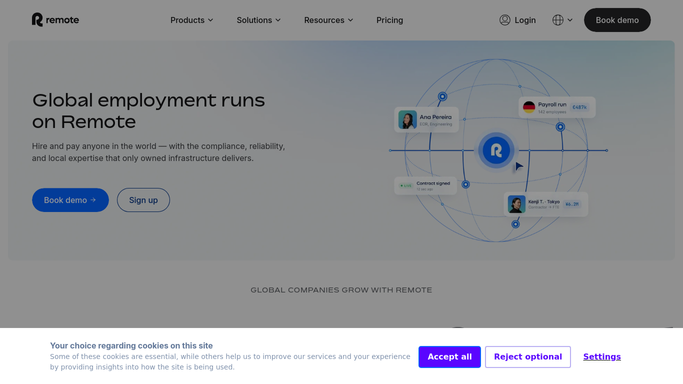
Every Monday, WebRun opens Remote.com, checks every employment contract and compliance document for upcoming expiry, archives the current renewal paperwork to Google Drive, and texts the People Ops lead through Twilio for anything expiring within 30 days.
- No credit card
- Under $0.01 per run
- Cancel anytime
What does WebRun do on every run?
The exact actions WebRun takes, in order - in plain language, so you can adjust anything.
-
WebRun signs in and gets to work
Opens
remote.comin a real browser with your saved login - no setup, no API keys. -
1
Remote.com - find expiring contracts
remote.com

WebRun opens Remote.com to find expiring contracts. - Open Remote.com and review active employment contracts and compliance documents
- List anything expiring within 30 days
- Note the employee, country, and document type for each
Done when Every contract or document expiring within 30 days is listed.
-
2
Google Drive - archive renewal paperwork
drive.google.com How to Automate Google Drive
WebRun opens Google Drive to archive renewal paperwork. - Archive the current renewal paperwork in the compliance folder
- Replace outdated versions with the latest copy
Done when The compliance folder holds the current paperwork for every flagged item.
-
3
Twilio - alert People Ops
twilio.com How to Automate Twilio
WebRun opens Twilio to alert People Ops. - Text the People Ops lead the list of items expiring within 30 days
- Send a second text for anything inside 7 days
Done when People Ops has been alerted with enough runway to renew before expiry.


How do I track Remote.com contract renewals before they expire?
WebRun checks Remote.com every Monday for employment contracts and compliance documents nearing expiry. It archives the current renewal paperwork to Google Drive and texts your People Ops lead through Twilio for anything expiring within 30 days, with a second alert inside 7 days, so no contract lapses unnoticed.
- Contract and compliance expiries get caught 30 days out, not after they lapse
- Renewal paperwork stays archived and current in Google Drive
- People Ops gets one focused alert instead of monitoring Remote.com manually
Built for People Ops · global HR teams · EOR administrators · remote team employers
How is each run configured?
Secure by default
Connect once, stays signed in
WebRun signs in once and keeps each session in a persistent environment, so every run picks up right where it left off.
Every action is checked against this policy before it runs.
Questions, answered
Does WebRun renew contracts or file compliance paperwork itself?
No. It only flags what's expiring and archives the current paperwork. Renewing a contract or filing a document always stays a manual step for People Ops.
Who receives the Twilio alert?
Only your internal People Ops lead. WebRun never texts the employee whose contract is expiring.
How far ahead does it warn you?
It flags anything expiring within 30 days, then sends a second alert once an item is inside 7 days so nothing lapses unnoticed.
Related templates
Put this on autopilot.
Turn it on in minutes - or have our team set it up for you.