Hand off Remo networking connections to your team
Every hour, WebRun checks Remo for events that just ended, logs which attendees spent meaningful time together at the same table as a connection, records each pairing as a row in Airtable, and posts a Notion recap for the sales and partnerships team naming the strongest connections to follow up on.
- No credit card
- Under $0.01 per run
- Cancel anytime
How do I follow up on connections made at a Remo event?
WebRun checks Remo every hour for events that just ended, logs which attendees spent meaningful time together at the same table as a row in Airtable, and posts a Notion recap for sales and partnerships naming the strongest connections, so networking activity turns into a follow up list within the hour.
- Connection data is ready within an hour of the event ending
- Strongest connections are ranked, not just listed
- Sales and partnerships get a recap without opening Remo
Built for event marketing teams · partnerships teams · community managers · sales development
What does WebRun do on every run?
The exact actions WebRun takes, in order - in plain language, so you can adjust anything.
-
WebRun signs in and gets to work
Opens
remo.coin a real browser with your saved login - no setup, no API keys. -
1
Remo - pull table connection data
remo.co
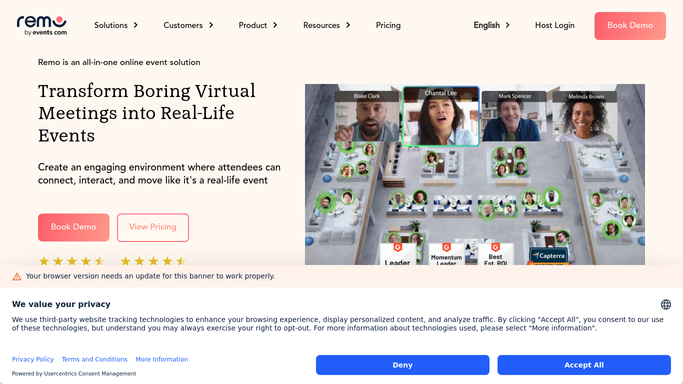
WebRun opens Remo to pull table connection data. - Open Remo and find events that ended in the last hour
- Pull which attendees shared a table and for how long
- Rank pairings by time spent together
Done when Every meaningful table connection from the event is captured.
-
2
Airtable - log each connection
airtable.com How to Automate Airtable

WebRun opens Airtable to log each connection. - Open the event connections base in Airtable
- Add a row per connection pairing with the time spent
- Tag the strongest connections for follow up
Done when Every connection pairing has a logged row in Airtable.
-
3
Notion - post the recap for sales and partnerships
notion.so How to Automate Notion

WebRun opens Notion to post the recap for sales and partnerships. - Update the event recap page in Notion
- List the strongest connections worth following up on
- Link back to the full Airtable log
Done when Sales and partnerships have a recap page with priority connections.
How is each run configured?
Secure by default
Connect once, stays signed in
WebRun signs in once and keeps each session in a persistent environment, so every run picks up right where it left off.
Every action is checked against this policy before it runs.
Questions, answered
Does WebRun message the attendees who connected?
No. It only logs which attendees spent time together and hands the summary to your team. Any outreach to an attendee is sent by sales or partnerships directly.
How is a strong connection identified?
By how much time two attendees spent at the same table during the event, longer shared time is treated as a stronger signal worth prioritizing.
What if an attendee did not connect with anyone?
They simply do not appear in the connections log for that event, since there is no table pairing to record.
Related templates
Put this on autopilot.
Turn it on in minutes - or have our team set it up for you.