Get your Remember The Milk tasks in a daily digest
Every morning, WebRun opens Remember The Milk, finds tasks due today across every list, logs them in Google Sheets, and posts a digest sorted by priority to your Notion daily note.
- No credit card
- Under $0.01 per run
- Cancel anytime
How do I get a daily digest of Remember The Milk tasks?
WebRun checks Remember The Milk every morning for tasks due that day across every list, logs them in Google Sheets, and posts a digest sorted by priority to your Notion daily note. Your day starts with one clear list instead of opening the app and sorting through every list yourself.
- Today's tasks reach Notion sorted by priority every morning
- High priority tasks never get buried in a long list
- A Sheets log tracks task history over time
Built for personal productivity · freelancers · small business owners · solo operators
What does WebRun do on every run?
The exact actions WebRun takes, in order - in plain language, so you can adjust anything.
-
WebRun signs in and gets to work
Opens
www.rememberthemilk.comin a real browser with your saved login - no setup, no API keys. -
1
Remember The Milk - find tasks due today
rememberthemilk.com
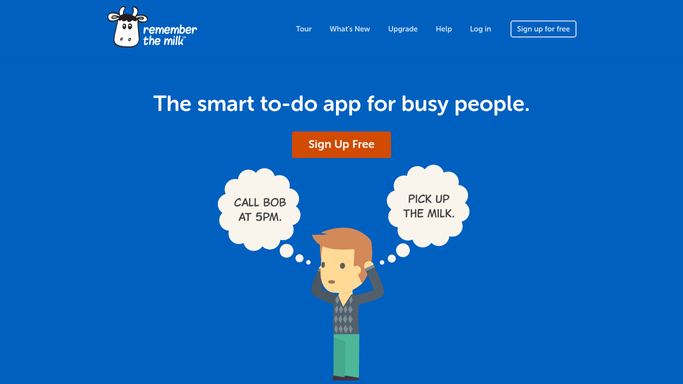
WebRun opens Remember The Milk to find tasks due today. - Open Remember The Milk and filter tasks to those due today across all lists
- Note each task's list, priority, and tags
- Skip tasks already completed
Done when Every task due today is listed with its list and priority.
-
2
Google Sheets - log today's tasks
google.com How to Automate Google Sheets

WebRun opens Google Sheets to log today's tasks. - Add a row per task due today with list and priority
- Keep a running log of past days
- Mark items completed since yesterday as done
Done when Today's tasks are logged in Sheets.
-
3
Notion - post today's digest note
notion.so How to Automate Notion

WebRun opens Notion to post today's digest note. - Post today's task digest to your Notion daily note
- Sort tasks by priority
- Note any high priority task due today
Done when Today's digest is posted to your Notion daily note.
How is each run configured?
Secure by default
Connect once, stays signed in
WebRun signs in once and keeps each session in a persistent environment, so every run picks up right where it left off.
Every action is checked against this policy before it runs.
Questions, answered
Will it complete or reschedule my tasks?
No. WebRun only reads due dates and priority to build the digest. It never completes, edits, or reschedules a task.
Does it cover every list, or just one?
It checks every list you have in Remember The Milk, so tasks from personal and shared lists both make the digest.
Where can I see past days' tasks?
The Google Sheets log keeps a running history, so you can look back at what was due on any past day.
Related templates
Put this on autopilot.
Turn it on in minutes - or have our team set it up for you.