Alert engineers the moment they're assigned
Every time Studio Hero records a new engineer assignment, WebRun confirms the session's time and room against Google Calendar and sends the assigned engineer a WhatsApp message with the client, session type, room, and start time, so they walk in prepared.
- No credit card
- Under $0.01 per run
- Cancel anytime
What does WebRun do on every run?
The exact actions WebRun takes, in order - in plain language, so you can adjust anything.
-
WebRun signs in and gets to work
Opens
thestudiohero.comin a real browser with your saved login - no setup, no API keys. -
1
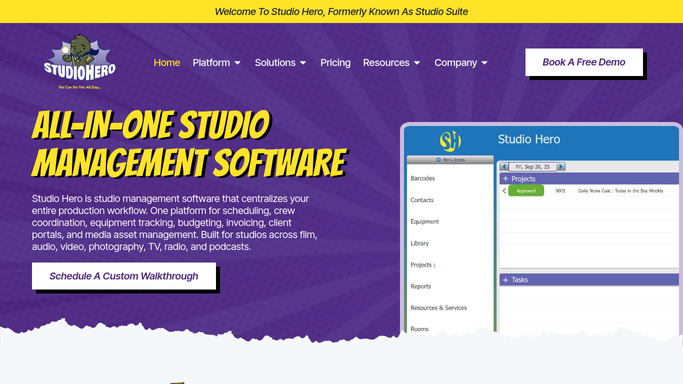
Studio Hero - find new engineer assignments
thestudiohero.com How to Automate Studio Hero

WebRun opens Studio Hero to find new engineer assignments. - Open Studio Hero and check for sessions with a newly assigned engineer
- Capture the client, session type, room, and any gear or genre notes
- Skip assignments already alerted in a previous run
Done when Every new engineer assignment this run is captured with its session details.
-
2
Google Calendar - check the session time and room
calendar.google.com How to Automate Google Calendar
WebRun opens Google Calendar to check the session time and room. - Look up the confirmed start time and room for the session
- Note anything else on the engineer's calendar right before or after it
Done when The session's exact time and room are confirmed against the calendar.
-
3
WhatsApp - alert the assigned engineer
whatsapp.com How to Automate WhatsApp
WebRun opens WhatsApp to alert the assigned engineer. - Message the assigned engineer with the client, session type, room, and start time
- Include any prep notes or gear requests
- Send it directly. This is an internal staff message, not a customer message
Done when The assigned engineer has received their session details on WhatsApp.


How do I alert the right engineer as soon as they're assigned to a session?
WebRun checks Studio Hero for new session assignments and sends the engineer a WhatsApp alert within minutes, naming the client, room, session type, and start time. Because it is an internal staff message, not a customer message, WebRun sends it automatically, so no engineer finds out about a session by walking into the room unprepared.
- Engineers know their session details within minutes of assignment
- No engineer walks into a room without prep details
- Fewer last minute scheduling mix ups
Built for recording studios · audio engineers · studio managers · freelance engineers
How is each run configured?
Secure by default
Connect once, stays signed in
WebRun signs in once and keeps each session in a persistent environment, so every run picks up right where it left off.
Every action is checked against this policy before it runs.
Questions, answered
Does this message clients or only staff?
Only staff. It sends an internal WhatsApp message to the assigned engineer, never to the client, so it can alert engineers automatically with no customer facing risk.
How fast does the engineer find out?
Within minutes of Studio Hero recording the assignment, since WebRun checks for new assignments on a short interval throughout the day.
What if the assignment changes later?
It reads the live assignment in Studio Hero each run, so a reassigned session alerts the new engineer and the change is easy to spot.
Related templates
Put this on autopilot.
Turn it on in minutes - or have our team set it up for you.