Track every mastering deadline before it's due
Every morning, WebRun scans Studio Hero for mastering projects due in the next 7 days, confirms each due date against Google Calendar and flags same day conflicts, then posts a ranked digest to Telegram so engineers see what needs to ship first.
- No credit card
- Under $0.01 per run
- Cancel anytime
What does WebRun do on every run?
The exact actions WebRun takes, in order - in plain language, so you can adjust anything.
-
WebRun signs in and gets to work
Opens
thestudiohero.comin a real browser with your saved login - no setup, no API keys. -
1
Studio Hero - find upcoming mastering deadlines
thestudiohero.com How to Automate Studio Hero

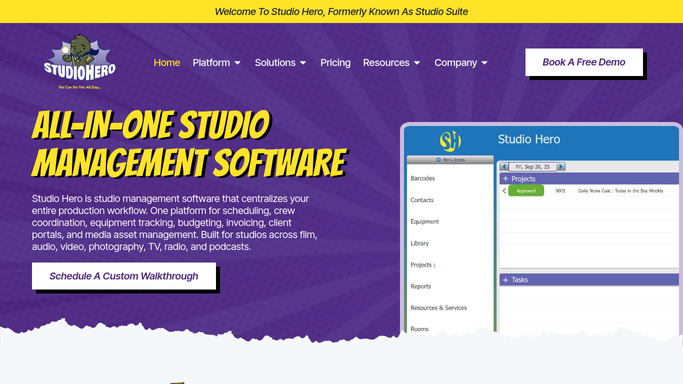
WebRun opens Studio Hero to find upcoming mastering deadlines. - Open Studio Hero and filter projects in mastering with a due date in the next 7 days
- Capture the project, client, engineer, and due date for each
- Note any project already marked delivered
Done when Every mastering project due in the next 7 days this run is captured with its details.
-
2
Google Calendar - confirm each due date
calendar.google.com How to Automate Google Calendar
WebRun opens Google Calendar to confirm each due date. - Confirm each project's due date against the studio calendar
- Flag any two deadlines landing on the same day for the same engineer
Done when Every mastering deadline is confirmed and any same day conflicts are flagged.
-
3
Telegram - send the ranked digest
telegram.org How to Automate Telegram
WebRun opens Telegram to send the ranked digest. - Post a ranked list with the soonest deadline first
- Include the project, client, and assigned engineer for each
- Mark same day conflicts clearly at the top
Done when Engineers have today's ranked mastering deadline list in Telegram.


How do I track mastering deadlines so nothing ships late?
Every morning, WebRun scans Studio Hero for mastering deadlines in the next seven days, ranks them by how soon they're due, and posts the list to Telegram so engineers see what needs to ship first. It's an internal digest, so it posts automatically and keeps every deadline visible before it gets missed.
- Every mastering deadline is visible a full week out
- Engineers see what's due next without checking each project
- Fewer missed delivery deadlines
Built for recording studios · mastering engineers · studio managers · music producers
How is each run configured?
Secure by default
Connect once, stays signed in
WebRun signs in once and keeps each session in a persistent environment, so every run picks up right where it left off.
Every action is checked against this policy before it runs.
Questions, answered
Does this only show deadlines for today?
No. It ranks every mastering deadline in the next 7 days by how soon it's due, so engineers can plan the whole week, not just today.
How does it handle two projects due the same day?
It flags same day conflicts for the same engineer at the top of the digest, so scheduling problems surface before they become missed deadlines.
What happens to a project once it's delivered?
It reads the live project status in Studio Hero each morning, so anything already marked delivered drops off the digest automatically.
Related templates
Put this on autopilot.
Turn it on in minutes - or have our team set it up for you.