Collect and route rental applications automatically
When a rental application is submitted through AppFolio, WebRun reads the applicant details, logs them in your applications tracker, scores the application against your income and credit criteria, and routes it to the right property manager in Slack for a final decision.
- No credit card
- Under $0.01 per run
- Cancel anytime
What does WebRun do on every run?
The exact actions WebRun takes, in order - in plain language, so you can adjust anything.
-
WebRun signs in and gets to work
Opens
app.appfolio.comin a real browser with your saved login - no setup, no API keys. -
1
AppFolio - read the new application
appfolio.com How to Automate AppFolio

WebRun opens AppFolio to read the new application. - Open the new application in AppFolio and read all submitted fields
- Capture applicant name, income, employment status, move-in date, and the property applied for
- Flag any incomplete sections and note the credit score tier AppFolio reports
Done when All application data is read and incomplete fields are noted.
-
2
Google Sheets - log and score the applicant
google.com How to Automate Google Sheets
WebRun opens Google Sheets to log and score the applicant. - Open the applications tracker spreadsheet
- Add a row with the applicant's details, property, and application timestamp
- Calculate a simple score against your income-to-rent ratio and credit band thresholds, and add it to the Score column
Done when The application is logged in the tracker with a score and any red flags noted.
-
3
Slack - route to the right property manager
slack.com How to Automate Slack
WebRun opens Slack to route to the right property manager. - Post the application summary to the property manager responsible for that building
- Include the score, income ratio, and any flags so they can decide immediately
- Provide a direct link to the AppFolio application for one-click approval or rejection
Done when The property manager is notified in Slack with everything needed to make a decision.
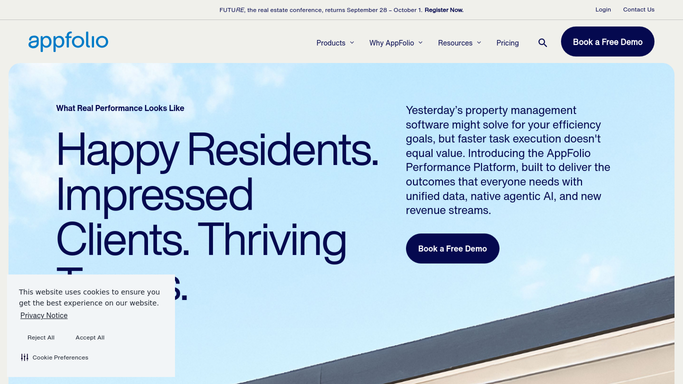


How can I automatically collect and route rental applications to the right property manager?
When a rental application is submitted through AppFolio, WebRun reads the applicant details, logs them in your Google Sheets tracker, scores the application against your income and credit criteria, and routes it to the right property manager in Slack - no application is approved without a human decision.
- Every application scored against your income and credit criteria automatically
- Right property manager alerted in Slack within minutes of submission
- No application slips through unreviewed
Built for property managers · landlords · real estate management companies · leasing teams
How is each run configured?
Secure by default
Connect once, stays signed in
WebRun signs in once and keeps each session in a persistent environment, so every run picks up right where it left off.
Every action is checked against this policy before it runs.
Questions, answered
Will it approve or reject an application automatically?
Never. WebRun scores and routes - every approval or rejection is made by your property manager in AppFolio.
How is the score calculated?
Using your income-to-rent ratio threshold and the credit band you specify. You can adjust both criteria in the plan at any time.
What happens if an application is incomplete?
WebRun flags the missing fields in the Slack message and logs them in the tracker, so the property manager can request the missing info before scoring.
Related templates
Put this on autopilot.
Turn it on in minutes - or have our team set it up for you.