Kick off R&D tax credit onboarding for new clients automatically
When a new client engagement is created in Neo.Tax, WebRun sets up the onboarding tracking sheet in Google Sheets, prepares the engagement letter for DocuSign review, and posts a kickoff summary to Slack so the assigned manager can start the R&D study without delay.
- No credit card
- Under $0.01 per run
- Cancel anytime
What does WebRun do on every run?
The exact actions WebRun takes, in order - in plain language, so you can adjust anything.
-
WebRun signs in and gets to work
Opens
app.neo.taxin a real browser with your saved login - no setup, no API keys. -
1
Neo.Tax - detect new client engagement
neo.tax How to Automate Neo.Tax

WebRun opens Neo.Tax to detect new client engagement. - Open Neo.Tax and identify the newly created client engagement
- Capture the client name, primary contact, tax year in scope, and the assigned engagement manager
- Note which data integrations are flagged as connected vs. pending (payroll, Jira, QuickBooks)
Done when The new engagement's details and integration status are captured.
-
2
Google Sheets - create onboarding checklist
google.com How to Automate Google Sheets
WebRun opens Google Sheets to create onboarding checklist. - Open the master onboarding tracking Google Sheet
- Add a new row for the client with all engagement details and a checklist of required data connections
- Set status to 'Kickoff' and flag any integrations not yet connected
Done when The client's onboarding checklist row is live in Google Sheets.
-
3
DocuSign - prepare engagement letter for review
docusign.com How to Automate DocuSign
WebRun opens DocuSign to prepare engagement letter for review. - Prepare an engagement letter envelope in DocuSign with the client's name and tax year pre-filled
- Leave the envelope in draft status for the engagement manager to review and send
- Do not send the envelope to the client without manager approval
Done when A draft engagement letter envelope is ready in DocuSign for manager review.
-
4
Slack - notify the assigned manager
slack.com How to Automate Slack
WebRun opens Slack to notify the assigned manager. - Post a kickoff message to the internal Slack channel with the client name, tax year, assigned manager, and a link to the onboarding checklist
- List which Neo.Tax integrations are still pending connection
Done when The assigned manager has the kickoff summary and checklist link in Slack.
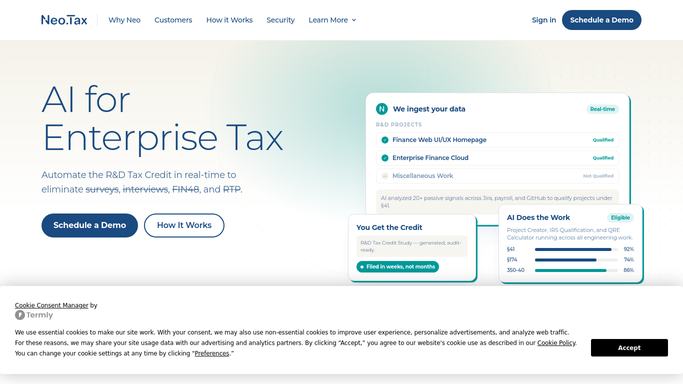



How do I automatically kick off R&D tax credit onboarding for new clients?
When a new client engagement appears in Neo.Tax, WebRun immediately creates the onboarding checklist in Google Sheets, prepares a draft engagement letter in DocuSign for manager review, and posts a kickoff summary to Slack listing the client details and any data integrations still pending connection.
- New engagements are tracked and checklist-ready within minutes of creation
- Engagement letters are drafted automatically and never sent without manager sign-off
- Managers get every kickoff detail in Slack without manual setup
Built for R&D tax credit firms · CPA practices · tax advisory teams · accounting firm operations
How is each run configured?
Secure by default
Connect once, stays signed in
WebRun signs in once and keeps each session in a persistent environment, so every run picks up right where it left off.
Every action is checked against this policy before it runs.
Questions, answered
Will it send the engagement letter to the client automatically?
No. The engagement letter is prepared as a draft envelope in DocuSign and held for the engagement manager to review and send. It never goes to the client without explicit approval.
What data integrations does it check in Neo.Tax?
It checks whether the client's payroll system, project management tool (such as Jira), and accounting platform are connected, and flags any that are still pending so the manager can request them upfront.
Can it handle multiple new clients added on the same day?
Yes. WebRun processes each new engagement independently, creating a separate checklist row and engagement letter draft for every client added.
Related templates
Put this on autopilot.
Turn it on in minutes - or have our team set it up for you.