Track R&D tax credit filing deadlines before they slip
Every Monday, WebRun opens Neo.Tax and reviews each active engagement for upcoming Form 6765 filing deadlines, amended return windows, and payroll-tax-offset claim dates, adds new deadlines to Google Calendar, updates the deadline tracker in Google Sheets, and posts a prioritized list of what is due in the next 30 days to Slack.
- No credit card
- Under $0.01 per run
- Cancel anytime
What does WebRun do on every run?
The exact actions WebRun takes, in order - in plain language, so you can adjust anything.
-
WebRun signs in and gets to work
Opens
app.neo.taxin a real browser with your saved login - no setup, no API keys. -
1
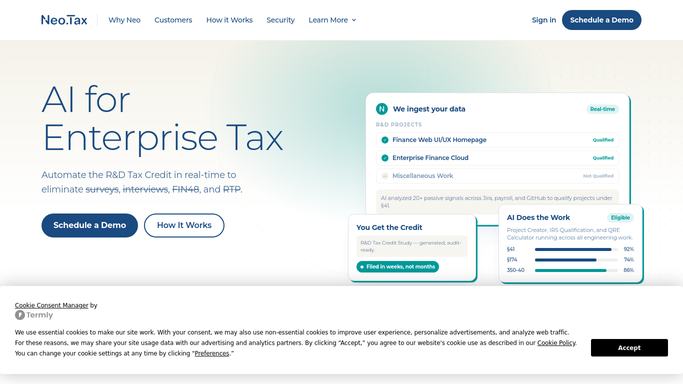
Neo.Tax - find upcoming filing deadlines
neo.tax How to Automate Neo.Tax

WebRun opens Neo.Tax to find upcoming filing deadlines. - Open Neo.Tax and review all active client engagements
- Capture Form 6765 filing deadlines, amended return windows, and payroll-tax-offset election dates for each
- Flag any deadline falling within the next 30 days as high priority
Done when Every active engagement's upcoming deadlines are captured with their due dates.
-
2
Google Calendar - add or confirm deadline events
calendar.google.com How to Automate Google Calendar
WebRun opens Google Calendar to add or confirm deadline events. - Open the R&D deadlines Google Calendar
- Add new deadline events for any dates not already on the calendar
- Update event descriptions with the client name, engagement ID, and the specific form or election required
Done when All upcoming deadlines are present and accurate on the shared Google Calendar.
-
3
Google Sheets - update the master deadline tracker
google.com How to Automate Google Sheets
WebRun opens Google Sheets to update the master deadline tracker. - Open the master R&D deadline tracking Google Sheet
- Update or add rows for each deadline with client name, deadline type, due date, responsible manager, and days remaining
- Sort by days remaining so the most urgent items appear first
Done when The deadline tracker is updated and sorted by urgency.
-
4
Slack - post weekly deadline digest
slack.com How to Automate Slack
WebRun opens Slack to post weekly deadline digest. - Post the weekly deadline digest to the internal Slack channel
- List all deadlines due in the next 30 days, sorted by urgency, with the responsible manager noted
- Flag any deadline within 7 days with a high-priority marker
Done when The team has this week's deadline digest in Slack with all due dates and owners.



How do I automatically track R&D tax credit filing deadlines across all client engagements?
Every Monday, WebRun reviews all active Neo.Tax engagements for upcoming Form 6765 filing dates, payroll-tax-offset elections, and amended return windows. It updates Google Calendar and the master deadline tracker in Google Sheets, then posts a prioritized 30-day digest to Slack so no compliance date slips past your team.
- No R&D filing or election deadline is missed across the entire client portfolio
- Managers get a ranked 30-day deadline list every Monday without manual research
- Google Calendar stays current with all upcoming compliance dates automatically
Built for R&D tax credit firms · CPA practices · tax advisory teams · accounting firm operations
How is each run configured?
Secure by default
Connect once, stays signed in
WebRun signs in once and keeps each session in a persistent environment, so every run picks up right where it left off.
Every action is checked against this policy before it runs.
Questions, answered
Does it file anything with the IRS automatically?
No. WebRun only tracks and surfaces upcoming deadlines. All filing actions are performed by your team. Nothing is submitted to the IRS or any tax authority without explicit human action.
Which deadlines does it track in Neo.Tax?
It tracks Form 6765 filing dates, amended return windows, payroll-tax-offset election deadlines, and any other compliance dates associated with active R&D credit engagements.
What if a deadline changes after it is added to the calendar?
WebRun re-reads Neo.Tax every Monday, so updated dates are reflected in the sheet and calendar the following week. It only adds or updates events and never deletes existing ones.
Related templates
Put this on autopilot.
Turn it on in minutes - or have our team set it up for you.