Automated QZone Engagement Digests
Every morning, WebRun opens QZone, reads the views, likes, and comments on your posts from the last seven days, creates a Trello card for every comment that asked a question and has no reply, and sends your team a short WhatsApp digest naming the best performing post and the comments still waiting.
How do I track social post engagement and unanswered comments?
WebRun opens QZone every morning, reads views, likes, and comments on your posts from the last seven days, and creates a Trello card with a suggested reply for every question left unanswered. It then sends your team a WhatsApp digest naming the best performing post and the comments still waiting.
- Unanswered comments become tracked cards, not a scroll
- Each card arrives with a suggested reply ready to edit
- The best performing post is named every morning
Built for social media managers · community managers · brand marketing teams · agencies
What does WebRun do on every run?
The exact actions WebRun takes, in order - in plain language, so you can adjust anything.
-
WebRun signs in and gets to work
Opens
qzone.qq.comin a real browser with your saved login - no setup, no API keys. -
1
QZone - read post engagement and comments
qzone.qq.com
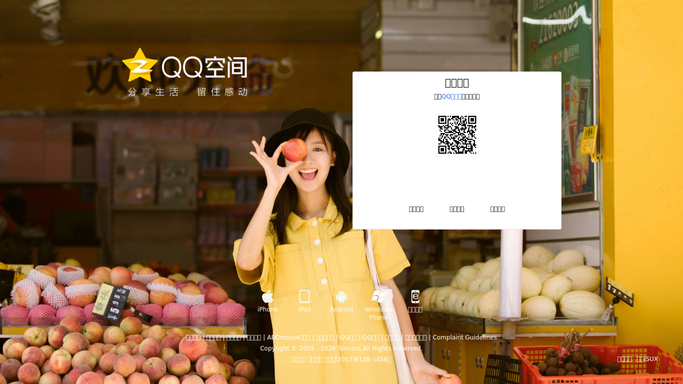
WebRun opens QZone to read post engagement and comments. - Open QZone and go to your profile feed
- Capture views, likes, and comment counts for every post from the last seven days
- Read the comments on each post and note which ones asked a question
- Mark comments that already have a reply from your account
- Read only. Never post, comment, like, or delete anything
Done when Every recent post has its engagement recorded and its unanswered comments identified.
-
2
Trello - queue comments needing a reply
trello.com

WebRun opens Trello to queue comments needing a reply. - Open your Social Replies board in Trello
- Create one card per unanswered comment with the commenter, the post, and the comment text
- Add a suggested reply in the card description for a person to edit
- Move cards to Done once the comment has a reply on the next run
Done when Every unanswered comment has a Trello card with a suggested reply.
-
3
WhatsApp - send the engagement digest
whatsapp.com

WebRun opens WhatsApp to send the engagement digest. - Send your social team's WhatsApp group a short digest
- Lead with the best performing post of the week and its numbers
- Give the count of comments waiting and the oldest one still unanswered
- Keep it to your own team group. Never message a commenter
Done when The team has today's engagement digest and reply count on WhatsApp.
How is each run configured?
Secure by default
Connect once, stays signed in
WebRun signs in once and keeps each session in a persistent environment, so every run picks up right where it left off.
Every action is checked against this policy before it runs.
Questions, answered
Will it post or reply publicly for me?
No. WebRun reads QZone and writes suggested replies onto Trello cards. It never publishes a post, leaves a comment, or likes anything. A person edits the suggestion and posts it themselves.
How does it know a comment still needs a reply?
It checks each comment thread for a response from your own account. Comments you already answered are skipped, and cards close automatically once a reply appears on the next run.
Does it message the people who commented?
No. The only message goes to your internal team group on WhatsApp. WebRun never contacts a commenter directly through any channel.
Related templates
Put this on autopilot.
Turn it on in minutes - or have our team set it up for you.