Give every conversation in the shared inbox a named owner
Every morning, WebRun opens your shared Quo inbox, lists the conversations with no assigned teammate, works out who handled that contact last, posts a suggested owner per conversation to Microsoft Teams, and drafts a Gmail summary for the office manager.
- No credit card
- Under $0.01 per run
- Cancel anytime
How do I make sure every shared inbox conversation has an owner?
WebRun opens your shared Quo inbox every morning and lists the conversations with no teammate assigned, noting the contact, the last message, and how long it has waited. It posts a suggested owner for each to Microsoft Teams and drafts a Gmail summary, so no customer gets two replies or none at all.
- Every open conversation starts the day with a named owner
- Two people never answer the same customer
- The longest waiting conversation is named first, not buried
Built for office managers · small business teams · customer support · service businesses
What does WebRun do on every run?
The exact actions WebRun takes, in order - in plain language, so you can adjust anything.
-
WebRun signs in and gets to work
Opens
my.quo.comin a real browser with your saved login - no setup, no API keys. -
1
Quo - find unassigned conversations
quo.com
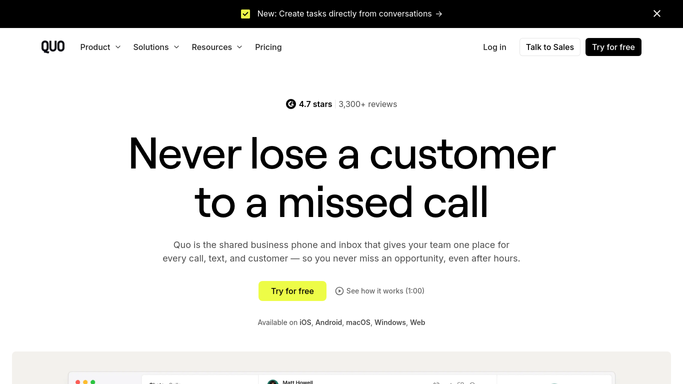
WebRun opens Quo to find unassigned conversations. - Open the shared inbox in Quo and list every open conversation
- Separate the conversations that have no teammate assigned
- Record the contact, the phone number, the last message, and how long it has been waiting
- Check the conversation history for who replied to this contact last time
Done when Every unassigned conversation is listed with its contact and its waiting time.
-
2
Microsoft Teams - post the assignment list
microsoft.com How to Automate Microsoft Teams

WebRun opens Microsoft Teams to post the assignment list. - Post the unassigned conversations to your team channel, oldest first
- Suggest an owner for each from who handled that contact before, or from your rota
- Mention the suggested owner so they can claim it in Quo
- Flag anything waiting longer than your response target
Done when Every open conversation has a suggested owner posted in Teams.
-
3
Gmail - draft the morning summary
gmail.com How to Automate Gmail

WebRun opens Gmail to draft the morning summary. - Draft a short morning summary for the office manager with the counts per teammate
- Include the conversations nobody has claimed and the longest waiting time
- Leave the email in Drafts so a person decides whether to send it
Done when A morning summary is drafted in Gmail for the office manager to review.
How is each run configured?
Secure by default
Connect once, stays signed in
WebRun signs in once and keeps each session in a persistent environment, so every run picks up right where it left off.
Every action is checked against this policy before it runs.
Questions, answered
Will it text customers back?
No. WebRun never sends a message to a customer. It reads the shared inbox, suggests owners internally in Teams, and leaves the reply to the teammate who claims the conversation.
Does it change the assignment inside Quo?
No. The suggestion is posted in Teams and the teammate claims it in Quo themselves, so a person always confirms who owns a customer before anyone replies.
How does it pick a suggested owner?
From history first: whoever last replied to that contact keeps the thread. If the contact is new, it follows the rota or the assignment rules you gave it, and says which rule it used.
Related templates
Put this on autopilot.
Turn it on in minutes - or have our team set it up for you.