Clear uncategorized transactions before month end
Every morning, WebRun opens Quicken, lists every downloaded transaction still uncategorized or flagged for review, sends you a WhatsApp list sorted by amount and age, and posts the running backlog with a days-to-month-end countdown to your bookkeeping channel on Telegram.
- No credit card
- Under $0.01 per run
- Cancel anytime
How do I stay on top of uncategorized transactions in Quicken?
WebRun keeps your Quicken register clean every morning. It finds transactions still uncategorized or flagged for review, sends you a WhatsApp list sorted by amount and age, and posts the running backlog with a month-end countdown to your bookkeeping channel on Telegram, so cleanup never piles up.
- The register gets cleared daily instead of in a month-end scramble
- The largest transactions get categorized first
- The backlog trend is visible to the whole bookkeeping team
Built for small business owners · sole traders · bookkeepers · household finance managers
What does WebRun do on every run?
The exact actions WebRun takes, in order - in plain language, so you can adjust anything.
-
WebRun signs in and gets to work
Opens
app.quicken.comin a real browser with your saved login - no setup, no API keys. -
1
Quicken - find transactions awaiting a category
quicken.com
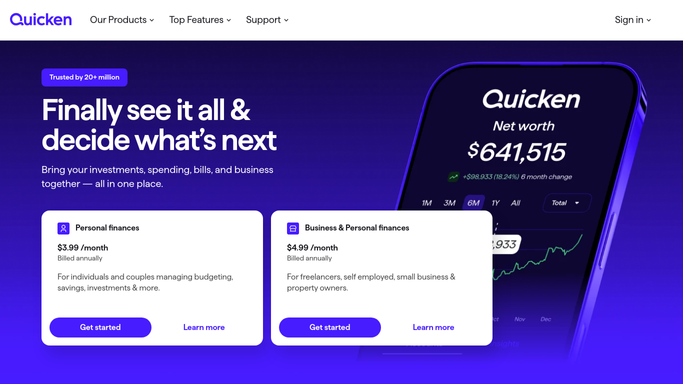
WebRun opens Quicken to find transactions awaiting a category. - Open Quicken and go to the transactions view across your connected accounts
- Filter to transactions that are uncategorized or still marked for review
- Capture the date, payee, amount, and account for each one
- Sort by amount, then by how many days the transaction has been sitting
Done when Every uncategorized transaction is listed with its payee, amount, and age.
-
2
WhatsApp - send you the decision list
whatsapp.com How to Automate WhatsApp

WebRun opens WhatsApp to send you the decision list. - Send yourself the day's decision list in your own WhatsApp thread
- Put the largest and oldest transactions first with payee, amount, and account
- Cap the message at the top items so it stays readable, with the full count at the bottom
Done when Today's decision list is in WhatsApp, largest and oldest first.
-
3
Telegram - post the running backlog
telegram.org How to Automate Telegram

WebRun opens Telegram to post the running backlog. - Post the running backlog count and total dollar value to your bookkeeping channel
- Show whether the backlog grew or shrank since yesterday
- Add the number of days left in the month so the team can pace the cleanup
Done when The bookkeeping channel has today's backlog count and trend.
How is each run configured?
Secure by default
Connect once, stays signed in
WebRun signs in once and keeps each session in a persistent environment, so every run picks up right where it left off.
Every action is checked against this policy before it runs.
Questions, answered
Does it categorize the transactions itself?
No. WebRun only reads and reports. Every category decision stays with you inside Quicken, so nothing is edited or reclassified without a human doing it.
Will it move money or change my accounts?
No. WebRun never makes a payment, a transfer, or any change to a financial account. It reads the transaction register and sends you a list.
What if the backlog is empty?
It sends a one-line all-clear so you know the register is current, and the Telegram channel still logs the zero so the trend line stays unbroken.
Related templates
Put this on autopilot.
Turn it on in minutes - or have our team set it up for you.