Confirm every new PyPI release matches what shipped
Every hour, WebRun opens PyPI, checks whether a new version of your team's package has gone live, books a 24 hour follow up on the calendar to update the changelog and docs, and texts the release owner through WhatsApp so they can confirm the live version matches what they intended to ship.
- No credit card
- Under $0.01 per run
- Cancel anytime
How do I confirm a new PyPI release matches what I meant to publish?
WebRun checks PyPI every hour for a newly published version of your team's package. It books a 24 hour follow up on the calendar to update the changelog and docs, and texts the release owner through WhatsApp to confirm the live version matches what they meant to ship.
- Every new release gets a same hour confirmation check
- Changelog updates never get forgotten after a release
- A wrong release gets caught fast enough to yank it
Built for open source maintainers · Python engineering teams · platform teams · release managers
What does WebRun do on every run?
The exact actions WebRun takes, in order - in plain language, so you can adjust anything.
-
WebRun signs in and gets to work
Opens
pypi.org/account/loginin a real browser with your saved login - no setup, no API keys. -
1
PyPI - check for a newly published release
pypi.org
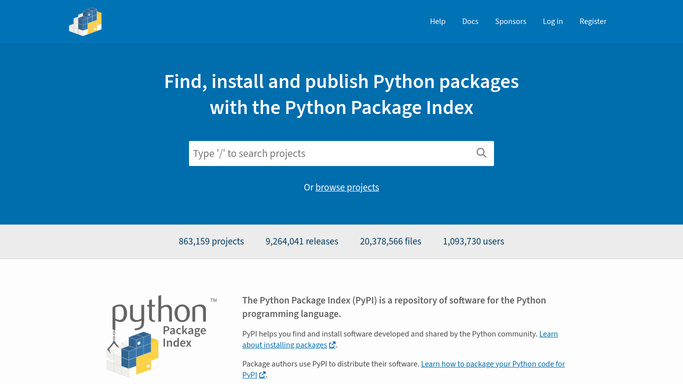
WebRun opens PyPI to check for a newly published release. - Open the PyPI project page and check the latest published version
- Compare it against the version recorded from the last check
- Capture the new version number and publish time when it changes
Done when A newly published version is detected and its number and time are recorded.
-
2
Google Calendar - book a changelog follow up
calendar.google.com How to Automate Google Calendar

WebRun opens Google Calendar to book a changelog follow up. - Create a 24 hour follow up reminder to update the changelog and docs for the new version
- Add the version number to the reminder
- Skip creating a reminder if nothing new was published this run
Done when A follow up reminder exists for every newly detected release.
-
3
WhatsApp - confirm the release with the maintainer
whatsapp.com How to Automate WhatsApp

WebRun opens WhatsApp to confirm the release with the maintainer. - Text the release owner the new version number and publish time
- Ask them to confirm it matches the release they intended to ship
- Send this only when a new version was actually detected
Done when The release owner has a confirmation text for every new version.
How is each run configured?
Secure by default
Connect once, stays signed in
WebRun signs in once and keeps each session in a persistent environment, so every run picks up right where it left off.
Every action is checked against this policy before it runs.
Questions, answered
Will it publish a release itself?
No. WebRun only reads the live version on PyPI. Publishing a package is always a deliberate action your maintainer takes.
Why confirm a release that already went live?
Because a package publish can't be undone. Confirming quickly means a wrong release gets caught and yanked fast if something's off.
What if two versions ship in the same hour?
Each newly detected version gets its own confirmation text and its own changelog reminder, so nothing gets merged into one message.
Related templates
Put this on autopilot.
Turn it on in minutes - or have our team set it up for you.