Chase the tasks that blew their due date
Every morning, WebRun opens ProjectManager.com, lists every task past its due date and still open, groups them by assignee, drafts each person a short Gmail nudge for you to approve, and books a catch-up slot in your Google Calendar to work through anything blocking a milestone.
- No credit card
- Under $0.01 per run
- Cancel anytime
How do I chase overdue project tasks without doing it by hand?
WebRun opens ProjectManager.com every weekday morning and lists every open task past its due date. It groups them by assignee, drafts each person a short Gmail nudge for you to approve, and books catch-up time in your Google Calendar for the overdue tasks blocking a milestone.
- Every overdue task is chased the morning after it slips
- One email per person instead of a thread per task
- Milestones at risk get time booked against them the same day
Built for project managers · agency delivery leads · construction planners · operations teams
What does WebRun do on every run?
The exact actions WebRun takes, in order - in plain language, so you can adjust anything.
-
WebRun signs in and gets to work
Opens
www.projectmanager.comin a real browser with your saved login - no setup, no API keys. -
1
ProjectManager.com - find tasks past their due date
projectmanager.com
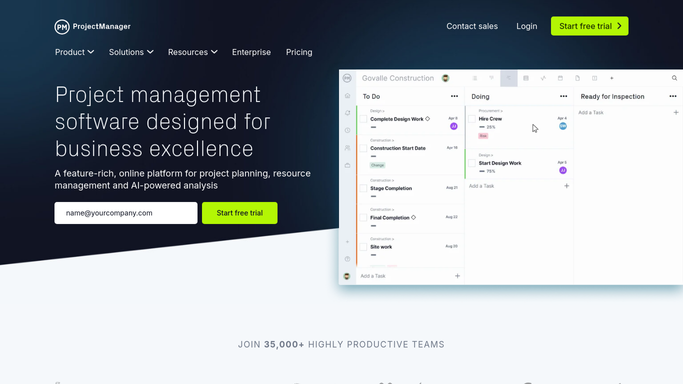
WebRun opens ProjectManager.com to find tasks past their due date. - Sign in to ProjectManager.com and open the task list across your active projects
- Capture every task past its due date that is not marked complete, with assignee, project, and days overdue
- Note which overdue tasks sit on the critical path or block a milestone in the next two weeks
Done when Every open overdue task is listed with its assignee, project, and days overdue.
-
2
Gmail - draft a nudge per assignee
gmail.com How to Automate Gmail

WebRun opens Gmail to draft a nudge per assignee. - Draft one Gmail message per assignee listing only their own overdue tasks with days late and project
- Keep the tone short and ask for a new date rather than an explanation
- Leave every message as a draft for you to review. WebRun never emails a teammate on its own
Done when A draft nudge is waiting in Gmail for every assignee with overdue work.
-
3
Google Calendar - book time to unblock them
calendar.google.com How to Automate Google Calendar

WebRun opens Google Calendar to book time to unblock them. - Book a short catch-up slot in your own Google Calendar for the tasks blocking a milestone
- Put the project name and the count of blocking tasks in the event title
- Skip the booking entirely on mornings when nothing overdue blocks a milestone
Done when Time is held on your calendar for every milestone currently at risk.
How is each run configured?
Secure by default
Connect once, stays signed in
WebRun signs in once and keeps each session in a persistent environment, so every run picks up right where it left off.
Every action is checked against this policy before it runs.
Questions, answered
Will it email my team without me checking first?
No. Every nudge is left as a Gmail draft for you to read, edit, and send. WebRun builds the per-person list and writes the wording, and you decide who hears from you.
Does it change due dates or close tasks?
No. WebRun only reads your ProjectManager.com task list. It never moves a due date, reassigns work, marks a task complete, or edits a project plan.
How does it know which overdue tasks actually matter?
It checks whether an overdue task sits on the critical path or blocks a milestone falling in the next two weeks, and those are the ones that get calendar time booked against them.
Related templates
Put this on autopilot.
Turn it on in minutes - or have our team set it up for you.