Keep tomorrow's dock schedule matched to the real ETAs
Every morning, WebRun opens project44, lists tomorrow's delivery appointments by facility, reads the live ETA on each shipment, writes the booked slots onto your yard's Google Calendar, and posts Slack the appointments whose ETA no longer fits the slot they hold.
- No credit card
- Under $0.01 per run
- Cancel anytime
How do I keep dock appointments matched to live shipment ETAs?
WebRun matches tomorrow's dock schedule to reality every morning. It reads each delivery appointment in project44 with the live ETA on the shipment behind it, writes the slots onto your facility's Google Calendar, and posts Slack the appointments whose ETA no longer fits, so labour is staffed against the real arrivals.
- Tomorrow's arrivals sit on one calendar with their live ETAs
- Slots the ETA no longer fits are named before the shift is staffed
- Shipments reporting no ETA are separated out rather than assumed on time
Built for warehouse managers · yard planners · logistics coordinators · supply chain teams
What does WebRun do on every run?
The exact actions WebRun takes, in order - in plain language, so you can adjust anything.
-
WebRun signs in and gets to work
Opens
www.project44.comin a real browser with your saved login - no setup, no API keys. -
1
project44 - read appointments against ETAs
project44.com
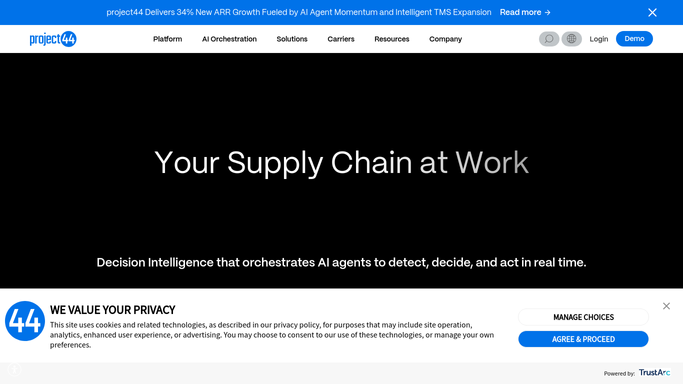
WebRun opens project44 to read appointments against ETAs. - Open project44 and list tomorrow's delivery appointments for each facility
- Read the current ETA on the shipment behind every appointment
- Capture the carrier, the reference, the booked slot and the ETA
- Mark the appointments whose ETA falls outside the slot they hold, and those with no ETA at all
Done when Every appointment for tomorrow has a booked slot and a current ETA beside it.
-
2
Google Calendar - put tomorrow's slots up
calendar.google.com How to Automate Google Calendar

WebRun opens Google Calendar to put tomorrow's slots up. - Write each appointment onto the facility's own calendar at its booked slot
- Put the carrier, the reference and the current ETA in the event
- Update an event that already exists rather than creating a second one
- Add no guests. The calendar is internal, so no carrier or customer is invited or notified
Done when Tomorrow's arrivals are on the facility calendar with their ETAs.
-
3
Slack - flag the mismatches
slack.com How to Automate Slack

WebRun opens Slack to flag the mismatches. - Post the appointments whose ETA no longer fits their slot, worst first
- Show the booked time, the ETA and the gap between them
- List separately the appointments with no ETA reporting at all
- Leave rebooking to the planner. WebRun never moves an appointment or contacts a carrier
Done when The planner has tomorrow's mismatches before staffing the shift.
How is each run configured?
Secure by default
Connect once, stays signed in
WebRun signs in once and keeps each session in a persistent environment, so every run picks up right where it left off.
Every action is checked against this policy before it runs.
Questions, answered
Will it rebook appointments or contact carriers?
No. WebRun writes an internal calendar and posts an internal Slack list. Moving an appointment and talking to a carrier stay with your planner.
Does anyone outside get the calendar invite?
No. Events are created on your own facility calendar with no guests, so no carrier or customer is invited or emailed when the schedule updates.
What happens to appointments with no ETA?
They are listed separately in the Slack post, because a silent shipment is a bigger staffing risk than one that is simply running two hours late.
Related templates
Put this on autopilot.
Turn it on in minutes - or have our team set it up for you.