Get a weekly scorecard of your ProdPad roadmap
Every Monday, WebRun reads your ProdPad ideas inbox and roadmap for what changed over the past week, counting new ideas submitted and cards that moved status, checks Notion for a linked strategy page on each moved card, and logs one scorecard row to Google Sheets.
- No credit card
- Under $0.01 per run
- Cancel anytime
What does WebRun do on every run?
The exact actions WebRun takes, in order - in plain language, so you can adjust anything.
-
WebRun signs in and gets to work
Opens
app.prodpad.comin a real browser with your saved login - no setup, no API keys. -
1
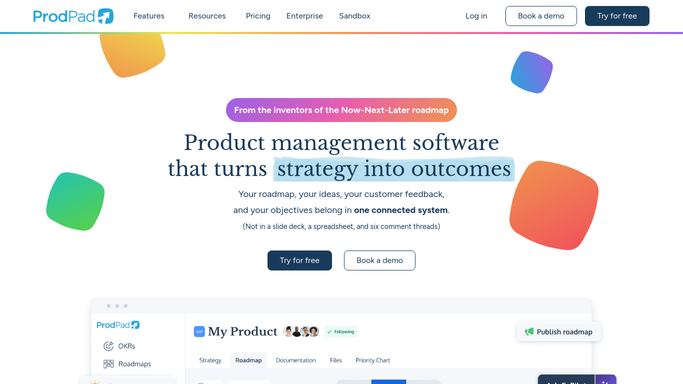
ProdPad - tally new ideas and roadmap status changes
prodpad.com

WebRun opens ProdPad to tally new ideas and roadmap status changes. - Open the ideas inbox and roadmap
- Count new ideas submitted this week and cards that changed status
- Capture each change with its new stage
Done when Every idea and roadmap status change from this week is captured.
-
2
Notion - check the linked strategy doc
notion.so How to Automate Notion
WebRun opens Notion to check the linked strategy doc. - For roadmap cards that moved to a new stage, check for a linked strategy or brief page
- Read the page for context if one exists
- Note any card with no matching strategy page
Done when Every moved roadmap card has been checked for a linked strategy page.
-
3
Google Sheets - log the weekly scorecard
google.com How to Automate Google Sheets
WebRun opens Google Sheets to log the weekly scorecard. - Open the weekly scorecard sheet
- Log one row for the week with ideas submitted and cards moved
- Add any missing strategy links found
Done when This week's scorecard row is saved in Google Sheets.


How do I get a weekly scorecard of my ProdPad roadmap?
Every Monday, WebRun reads your ProdPad ideas inbox and roadmap for what changed over the past week, counting new ideas submitted and cards that moved status. It checks Notion for a linked strategy page on each moved card, then logs one scorecard row to Google Sheets covering ideas, movement, and any missing documentation.
- A weekly read on how the roadmap and idea backlog actually moved
- Roadmap cards missing their strategy documentation get flagged
- A running Google Sheets history builds the trend automatically
Built for product managers · product teams · startups · SaaS companies
How is each run configured?
Secure by default
Connect once, stays signed in
WebRun signs in once and keeps each session in a persistent environment, so every run picks up right where it left off.
Every action is checked against this policy before it runs.
Questions, answered
Does it move roadmap cards or edit ideas?
No. It only reads what changed this week and reports it. Moving a card or editing an idea is left to the product team.
What if a roadmap card has no strategy page?
It is flagged as missing in the scorecard row instead of being skipped, so gaps in documentation are visible.
Does it score or prioritize the ideas?
No. It counts what came in and reports it. Scoring and prioritization stay a product decision.
Related templates
Put this on autopilot.
Turn it on in minutes - or have our team set it up for you.