Keep every serve on deadline
Every morning, WebRun opens ServeManager, pulls every active job with a serve-by deadline, flags those due within 48 hours, logs the detail to a Google Sheet, and posts a prioritized list to Slack so your team starts the day knowing exactly which serves need action today.
- No credit card
- Under $0.01 per run
- Cancel anytime
What does WebRun do on every run?
The exact actions WebRun takes, in order - in plain language, so you can adjust anything.
-
WebRun signs in and gets to work
Opens
www.servemanager.comin a real browser with your saved login - no setup, no API keys. -
1
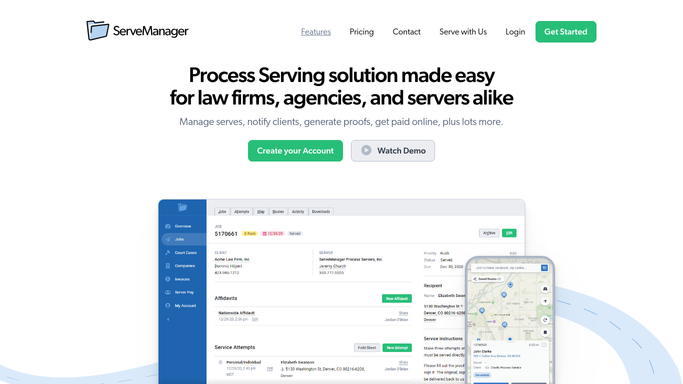
ServeManager - pull jobs nearing deadline
servemanager.com How to Automate ServeManager

WebRun opens ServeManager to pull jobs nearing deadline. - Open ServeManager and filter jobs to Active status
- Read the serve-by date on each job
- Flag jobs due within 48 hours as urgent and those due within 7 days as upcoming
- Capture job number, defendant name, client, server assigned, and deadline for each flagged job
Done when All jobs due within 7 days are listed with their urgency tier and key details.
-
2
Google Sheets - log deadline detail
google.com How to Automate Google Sheets
WebRun opens Google Sheets to log deadline detail. - Open the Deadline Tracker sheet
- Append a new row for each flagged job with job number, defendant, client, server, deadline, and urgency tier
- Mark previously resolved jobs as Done so the sheet reflects current state
Done when The tracker sheet has a current row for every open deadline-critical job.
-
3
Slack - post prioritized alert list
slack.com How to Automate Slack
WebRun opens Slack to post prioritized alert list. - Post a morning digest to the process-serving channel listing urgent jobs first
- Include job number, defendant name, deadline, and assigned server for each entry
- Add a count summary: X urgent, Y upcoming
Done when The team has a ranked deadline list in Slack before the workday begins.


How do I automatically track process serving deadlines?
WebRun opens ServeManager every morning, reads every active job's serve-by date, and flags those due within 48 hours as urgent and within 7 days as upcoming. It logs each flagged job to a Google Sheet and posts a ranked deadline list to Slack so your team knows exactly which serves need action today.
- Urgent serves are flagged every morning before the workday begins
- No serve-by deadline is missed because it was not noticed in time
- The deadline tracker sheet stays current without manual data entry
Built for process serving companies · legal support firms · process servers · law firm support staff
How is each run configured?
Secure by default
Connect once, stays signed in
WebRun signs in once and keeps each session in a persistent environment, so every run picks up right where it left off.
Every action is checked against this policy before it runs.
Questions, answered
How far in advance does it flag deadlines?
It flags jobs due within 48 hours as urgent and those due within 7 days as upcoming, so you always have a rolling week of visibility.
Will it change or update anything in ServeManager?
No. WebRun reads ServeManager and logs to Sheets; it never edits a job record or sends any message to a client.
What if the same job appears multiple days in a row?
It re-reads live status each morning, so jobs that have been served and closed in ServeManager are automatically excluded from the next run.
Related templates
Put this on autopilot.
Turn it on in minutes - or have our team set it up for you.