Alert your team the moment a rush job comes in
Every few minutes, WebRun checks ServeManager for newly created jobs flagged as rush or same-day. When one appears, it instantly posts a detailed alert to your ops Slack channel and sends a Twilio text to the on-call server so the case is picked up and dispatched within minutes, not hours.
- No credit card
- Under $0.01 per run
- Cancel anytime
What does WebRun do on every run?
The exact actions WebRun takes, in order - in plain language, so you can adjust anything.
-
WebRun signs in and gets to work
Opens
www.servemanager.comin a real browser with your saved login - no setup, no API keys. -
1
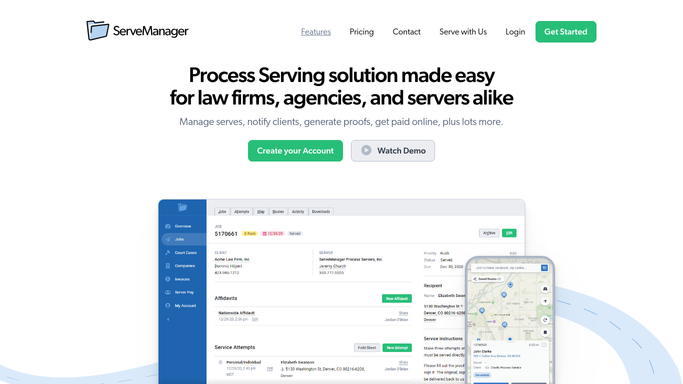
ServeManager - detect new rush jobs
servemanager.com How to Automate ServeManager

WebRun opens ServeManager to detect new rush jobs. - Open ServeManager and check for jobs created since the last run with a rush or same-day flag
- For each new rush job, capture job number, defendant name, service address, client, job type, and requested serve date
- Skip jobs already alerted in a previous run to avoid duplicate alerts
Done when All new rush jobs are identified with their full detail and flagged for alerting.
-
2
Slack - post immediate ops alert
slack.com How to Automate Slack
WebRun opens Slack to post immediate ops alert. - Post an immediate alert to the ops channel for each new rush job
- Include job number, defendant, address, client, and requested serve date
- Prefix the message with a clear RUSH indicator for visibility
Done when The ops channel has an alert for every new rush job within minutes of it being created.
-
3
Twilio - text on-call server
twilio.com How to Automate Twilio
WebRun opens Twilio to text on-call server. - Look up the on-call server's phone number from your on-call schedule
- Send an SMS with the job number, defendant name, and service address
- Include a note that the full detail is in the ops Slack channel
Done when The on-call server has received an SMS for every new rush job.


How do I automatically alert my team when a rush process serving job comes in?
WebRun checks ServeManager every 5 minutes for newly created rush or same-day jobs. The moment one appears, it posts a full detail alert to your ops Slack channel and sends a Twilio SMS to the on-call server, so every rush case is seen and actioned within minutes of arriving in your system.
- Rush jobs are seen and actioned within 5 minutes of being created in ServeManager
- On-call servers receive an SMS instantly with job details
- Duplicate alerts are suppressed automatically so the team is not spammed
Built for process serving companies · legal support firms · on-call process servers · dispatch managers
How is each run configured?
Secure by default
Connect once, stays signed in
WebRun signs in once and keeps each session in a persistent environment, so every run picks up right where it left off.
Every action is checked against this policy before it runs.
Questions, answered
How quickly does the alert go out after a rush job is created?
WebRun checks ServeManager every 5 minutes, so a rush job created now triggers a Slack alert and SMS within 5 minutes of appearing in the system.
Will it send duplicate alerts if the same job is still open?
No. WebRun tracks which rush jobs it has already alerted and skips them on subsequent runs, so each job triggers exactly one alert cycle.
Who receives the Twilio text?
It texts the phone number listed as on-call in your configuration. You can update the on-call number in the run settings at any time to match your rotation.
Related templates
Put this on autopilot.
Turn it on in minutes - or have our team set it up for you.