Follow up with every quote lead before they go cold
Every morning, WebRun scans Gmail for unanswered quote requests and checks ServeManager for new intake submissions without a follow-up, drafts a polite response email for each lead, and posts a Slack summary of open leads with their age so your team can track which prospects still need a human touch.
- No credit card
- Under $0.01 per run
- Cancel anytime
What does WebRun do on every run?
The exact actions WebRun takes, in order - in plain language, so you can adjust anything.
-
WebRun signs in and gets to work
Opens
www.servemanager.comin a real browser with your saved login - no setup, no API keys. -
1
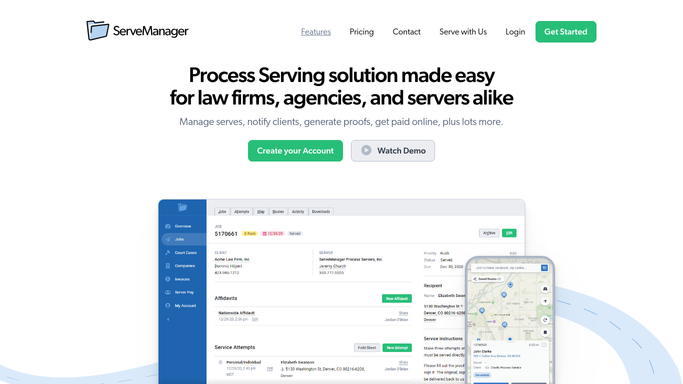
ServeManager - find new intake submissions without follow-up
servemanager.com How to Automate ServeManager

WebRun opens ServeManager to find new intake submissions without follow-up. - Open ServeManager and check the intake queue for new submissions in the past 48 hours
- Flag any intake that has not had a follow-up email or call logged
- Capture contact name, email, job type requested, and submission date
Done when All new intake submissions without a follow-up are listed with contact and job detail.
-
2
Gmail - draft follow-up email for each lead
gmail.com How to Automate Gmail
WebRun opens Gmail to draft follow-up email for each lead. - Draft a timely, professional follow-up email for each flagged lead
- Include a brief introduction, confirmation of the request details, and a clear call to action
- Save each email as a draft in Gmail and leave it unsent for your review
Done when A draft follow-up email exists in Gmail for every unanswered quote lead.
-
3
Slack - post open lead summary
slack.com How to Automate Slack
WebRun opens Slack to post open lead summary. - Post a summary of open leads to the sales channel
- Include contact name, job type, submission date, and hours since submission
- Flag leads older than 24 hours that still have no response
Done when The sales channel has a current list of open leads with age so the team can prioritize.


How do I automatically follow up with process serving quote leads?
WebRun scans ServeManager and Gmail every morning for unanswered quote requests and new intake submissions with no follow-up logged. It drafts a professional response email in Gmail for each lead and posts a Slack summary showing every open lead's age, so your team converts new inquiries without any slipping through the cracks.
- Every unanswered quote request gets a follow-up draft within 24 hours
- Leads older than 24 hours are flagged in Slack for urgent attention
- Converted leads are skipped automatically so existing clients are never re-contacted
Built for process serving companies · legal support firms · business development staff · process service managers
How is each run configured?
Secure by default
Connect once, stays signed in
WebRun signs in once and keeps each session in a persistent environment, so every run picks up right where it left off.
Every action is checked against this policy before it runs.
Questions, answered
Will it send follow-up emails automatically to leads?
No. Every follow-up is saved as a Gmail draft for your review. Nothing reaches a prospect until you approve and send it.
How does it know which leads have not been followed up?
It checks ServeManager for new intake submissions with no follow-up activity logged in the past 48 hours. Leads with a recorded contact are excluded automatically.
What if a lead already became a paying client?
WebRun reads intake status from ServeManager each run. Leads that converted to active jobs are skipped so you never send a follow-up to an existing client by mistake.
Related templates
Put this on autopilot.
Turn it on in minutes - or have our team set it up for you.