Archive every Prism Live Studio stream and recap it for your team
After each Prism Live Studio stream ends, WebRun confirms the recording is available, saves a copy into the show's Google Drive project folder named with the stream date, and posts a Slack recap with the duration and which platforms it multistreamed to.
- No credit card
- Under $0.01 per run
- Cancel anytime
What does WebRun do on every run?
The exact actions WebRun takes, in order - in plain language, so you can adjust anything.
-
WebRun signs in and gets to work
Opens
www.prismlive.comin a real browser with your saved login - no setup, no API keys. -
1
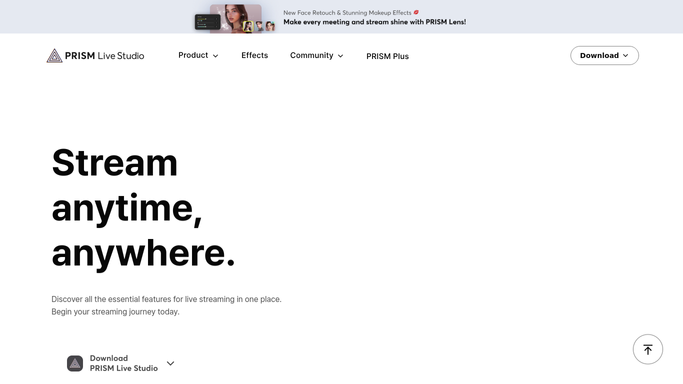
Prism Live Studio - check the stream recording
prismlive.com

WebRun opens Prism Live Studio to check the stream recording. - Open the stream history in Prism Live Studio
- Confirm the just-finished stream's recording is available
- Note the duration and which platforms it multistreamed to
Done when The finished stream's recording and details are confirmed.
-
2
Google Drive - archive the recording
drive.google.com How to Automate Google Drive
WebRun opens Google Drive to archive the recording. - Open the show's project folder in Google Drive
- Save a copy or link of the recording
- Name the file with the stream date
Done when The stream recording is archived in Drive.
-
3
Slack - post the recap
slack.com How to Automate Slack
WebRun opens Slack to post the recap. - Post a recap with the stream's duration
- List which platforms it multistreamed to
- Link to the archived recording in Drive
Done when The team has the stream recap in Slack.


How do I archive and recap every Prism Live Studio stream automatically?
WebRun checks Prism Live Studio after each stream ends, confirms the recording is available, and saves a copy into the show's Google Drive project folder named with the stream date. It then posts a Slack recap with the stream's duration and which platforms it multistreamed to, so the team has a record without hunting for it.
- Every stream recording is archived automatically by date
- The team gets a recap without asking how a stream went
- A missing recording gets flagged instead of silently lost
Built for Mobile live streamers · Content creators · Multistreaming teams · Social media managers
How is each run configured?
Secure by default
Connect once, stays signed in
WebRun signs in once and keeps each session in a persistent environment, so every run picks up right where it left off.
Every action is checked against this policy before it runs.
Questions, answered
Does it start or stop the stream?
No. WebRun only runs after a stream has already ended. Starting, stopping, and running the actual broadcast is still done by the streamer.
Where does the recording go?
Into the show's Google Drive project folder, named with the stream date, so it's easy to find later without digging through Prism Live Studio.
What if a stream had no recording?
It's noted in the Slack recap instead of archiving anything, so the team knows to check what happened.
Related templates
Put this on autopilot.
Turn it on in minutes - or have our team set it up for you.