Get a new Plane project fully set up in minutes
When a new project is created in Plane, WebRun builds out the standard first cycle and modules your team always starts with, schedules a kickoff meeting on Google Calendar for the project lead and core team, and posts a setup summary to Microsoft Teams.
- No credit card
- Under $0.01 per run
- Cancel anytime
What does WebRun do on every run?
The exact actions WebRun takes, in order - in plain language, so you can adjust anything.
-
WebRun signs in and gets to work
Opens
app.plane.soin a real browser with your saved login - no setup, no API keys. -
1
Plane - set up cycles and modules
plane.so

WebRun opens Plane to set up cycles and modules. - Open the new project
- Create the standard first cycle and default modules your team always starts with
- Set the initial project lead
Done when The new project has its first cycle and standard modules in place.
-
2
Google Calendar - schedule the kickoff
calendar.google.com How to Automate Google Calendar
WebRun opens Google Calendar to schedule the kickoff. - Open the project lead's calendar
- Schedule a kickoff meeting for the project lead and core team
- Set it within the next few days
Done when A kickoff meeting is on the calendar for the new project.
-
3
Microsoft Teams - announce the new project
microsoft.com How to Automate Microsoft Teams
WebRun opens Microsoft Teams to announce the new project. - Post a setup summary to the team channel
- Name the new project and its lead
- Include the kickoff meeting time
Done when The team channel has today's new project announcement in Microsoft Teams.
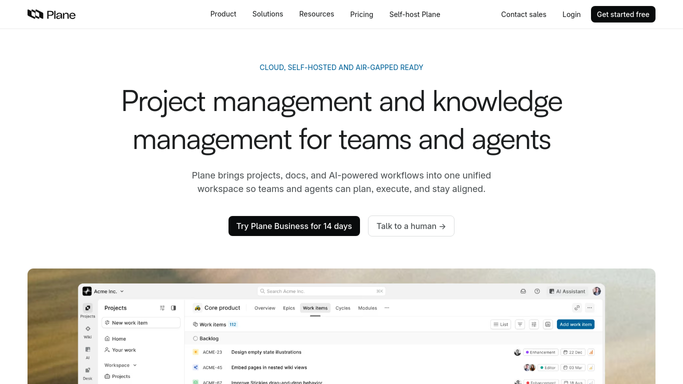


How do I automatically set up a new Plane project?
When a new project is created in Plane, WebRun builds out the standard first cycle and modules your team always starts with, schedules a kickoff meeting on Google Calendar for the project lead and core team, and posts a setup summary to Microsoft Teams, so a new project is ready to work in minutes.
- A new project has its structure ready before anyone opens it
- The kickoff gets scheduled without a manual calendar invite
- The team learns about a new project the moment it's created
Built for engineering teams · startups · open source teams · product teams
How is each run configured?
Secure by default
Connect once, stays signed in
WebRun signs in once and keeps each session in a persistent environment, so every run picks up right where it left off.
Every action is checked against this policy before it runs.
Questions, answered
Does it invite people to the new project?
No. It sets up the structure and schedules the kickoff. Granting project access to teammates is left to you.
What modules does it create?
Only the standard modules your team always starts a project with, as you configure them, not project specific ones it guesses at.
Can it skip the kickoff meeting?
Yes, scheduling the kickoff can be turned off if your team prefers to start projects without one.
Related templates
Put this on autopilot.
Turn it on in minutes - or have our team set it up for you.