Automated Phemex Liquidation Risk Alerts
Every hour, WebRun opens Phemex, reads every open position along with its liquidation price, logs a dated note to Google Calendar, and pings you on WhatsApp the moment a position moves within the danger margin you set.
How do I get warned before a Phemex position gets close to liquidation?
WebRun checks every open Phemex position every hour, reading mark price and liquidation price for each. It logs a dated risk note to Google Calendar every check and pings you on WhatsApp the moment any position enters the danger margin you set, so leverage risk never goes unnoticed between visits to the app.
- Liquidation risk is checked every single hour, day and night
- A WhatsApp ping arrives the same hour a position enters the danger margin
- A dated risk history builds up in Calendar automatically
Built for crypto derivatives traders · Phemex users · leveraged traders · active traders
What does WebRun do on every run?
The exact actions WebRun takes, in order - in plain language, so you can adjust anything.
-
WebRun signs in and gets to work
Opens
phemex.comin a real browser with your saved login - no setup, no API keys. -
1
Phemex - check positions and liquidation price
phemex.com
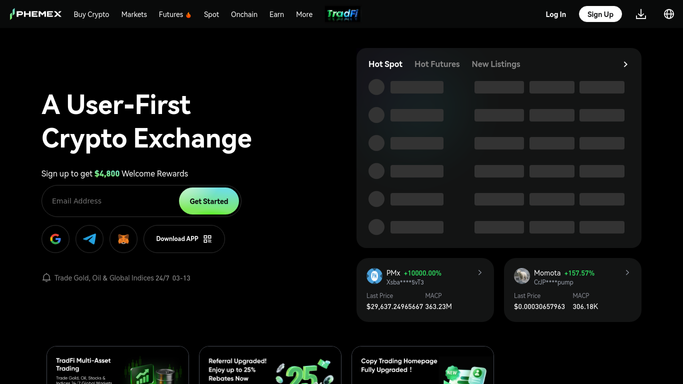
WebRun opens Phemex to check positions and liquidation price. - Open Phemex and review every open position
- Read the current mark price and liquidation price for each
- Calculate how far each position sits from its liquidation price
Done when Every open position's liquidation distance is recorded for this hour.
-
2
Google Calendar - log a dated risk note
calendar.google.com

WebRun opens Google Calendar to log a dated risk note. - Open today's date on the position risk calendar
- Add a note listing each position and its distance to liquidation
- Keep the note format consistent so past checks are easy to scan
Done when Today's calendar entry has this hour's risk note attached to the date.
-
3
WhatsApp - ping on danger margin
whatsapp.com

WebRun opens WhatsApp to ping on danger margin. - Send a WhatsApp message only when a position moves within your set danger margin
- Include the position, mark price, and liquidation price
- Never add margin, close, or modify a position on Phemex
Done when A WhatsApp ping goes out the same hour any position enters the danger margin.
How is each run configured?
Secure by default
Connect once, stays signed in
WebRun signs in once and keeps each session in a persistent environment, so every run picks up right where it left off.
Every action is checked against this policy before it runs.
Questions, answered
Will WebRun add margin or close a position for me?
No. WebRun only reads your positions and reports liquidation distance. It never adds margin, closes a position, or places a new order on Phemex, and it never moves funds. Managing the position stays entirely your call.
How is the danger margin defined?
You set how close to the liquidation price counts as dangerous when this is set up, and WebRun compares the live mark price against that margin every hour.
Why log to Calendar as well as pinging WhatsApp?
The dated Calendar note gives you a scrollable history of risk over the day, while WhatsApp is reserved for the moment something actually needs your attention.
Related templates
Put this on autopilot.
Turn it on in minutes - or have our team set it up for you.