Reconcile every Paytm settlement against its transactions
Every morning, WebRun opens Paytm, takes yesterday's settled amount, adds up the transactions and refunds that should make it up, posts the reconciliation and any difference to Microsoft Teams, and books a Google Calendar slot when the gap needs a human to chase it.
- No credit card
- Under $0.01 per run
- Cancel anytime
How do I reconcile Paytm settlements against my transactions?
WebRun reconciles Paytm settlements every morning. It reads yesterday's settled amount, totals the transactions behind it, subtracts refunds and chargebacks, and posts the difference to Microsoft Teams with every mismatched order id. When a gap passes your tolerance, it books a Google Calendar slot to chase it.
- A short settlement gets questioned the same week, not at month end
- Every mismatched order id named rather than a lump difference
- Reconciliation done before the finance team opens the dashboard
Built for finance teams · ecommerce merchants · accountants · operations managers
What does WebRun do on every run?
The exact actions WebRun takes, in order - in plain language, so you can adjust anything.
-
WebRun signs in and gets to work
Opens
paytm.comin a real browser with your saved login - no setup, no API keys. -
1
Paytm - match settlement to transactions
paytm.com
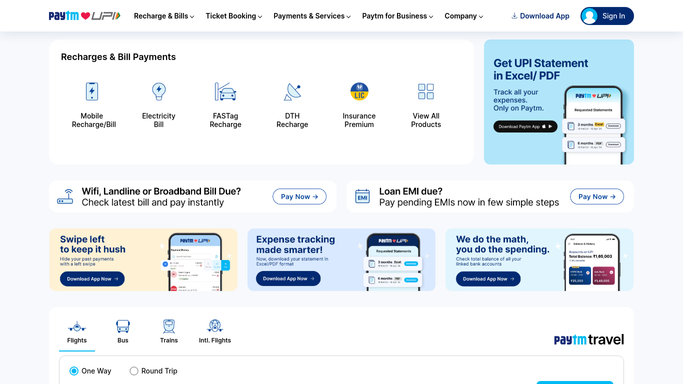
WebRun opens Paytm to match settlement to transactions. - Open Paytm and find the settlements credited for yesterday, with amount and settlement date
- Pull the transactions in that settlement window and total them by order id
- Subtract refunds and any chargebacks recorded against the same orders
- Compare the expected total against the settled amount and record the difference
Done when Yesterday's settled amount has been compared against its transactions and refunds.
-
2
Microsoft Teams - post the reconciliation
microsoft.com How to Automate Microsoft Teams

WebRun opens Microsoft Teams to post the reconciliation. - Post yesterday's settled amount, expected total, and the difference to your finance channel
- List the order ids that did not match, with amount and status
- Show the running total of unresolved gaps from earlier runs
Done when The finance channel has yesterday's reconciliation with every mismatched order named.
-
3
Google Calendar - book time to chase a gap
calendar.google.com How to Automate Google Calendar

WebRun opens Google Calendar to book time to chase a gap. - When the difference is over your tolerance, create a calendar block to investigate
- Put the settlement date, the amount short, and the mismatched order ids in the event description
- Invite nobody automatically. The event sits on your own calendar for you to action
Done when Any gap past tolerance has time booked against it.
How is each run configured?
Secure by default
Connect once, stays signed in
WebRun signs in once and keeps each session in a persistent environment, so every run picks up right where it left off.
Every action is checked against this policy before it runs.
Questions, answered
Can it move money or raise a dispute?
No. WebRun only reads Paytm and reports the numbers. It never initiates a payout, refund, dispute, or transfer. Every gap it finds is handed to a person to act on.
What counts as a mismatch?
Any difference between the settled amount and the transactions minus refunds for that window, above the tolerance you set. Small rounding stays quiet, real shortfalls get named with their order ids.
Does it repeat the same gap every day?
It carries unresolved gaps forward as a running total but flags each one once. When the amount later settles, the next run sees the live figures and clears it.
Related templates
Put this on autopilot.
Turn it on in minutes - or have our team set it up for you.