Get alerted when Paytm failed transactions spike
Every hour, WebRun opens Paytm, checks today's failed and declined transaction rate against your recent average, posts the numbers to the ops Slack channel, and pings Telegram only when the failure rate crosses the threshold you set.
- No credit card
- Under $0.01 per run
- Cancel anytime
How do I get alerted when Paytm transaction failures spike?
WebRun checks Paytm every hour for the failed and declined transaction rate against your recent average, posts the numbers to Slack, and pings Telegram only when the rate crosses your threshold. It never retries a transaction itself, so a genuine payment issue gets your team's attention fast instead of going unnoticed for hours.
- Failure spikes get caught within the hour, not discovered days later
- The team sees a consistent hourly read instead of an occasional check
- Only genuine spikes trigger a direct ping, not routine variance
Built for ecommerce merchants · payments operations · fintech finance teams · checkout operations
What does WebRun do on every run?
The exact actions WebRun takes, in order - in plain language, so you can adjust anything.
-
WebRun signs in and gets to work
Opens
paytm.comin a real browser with your saved login - no setup, no API keys. -
1
Paytm - check today's failure rate
paytm.com
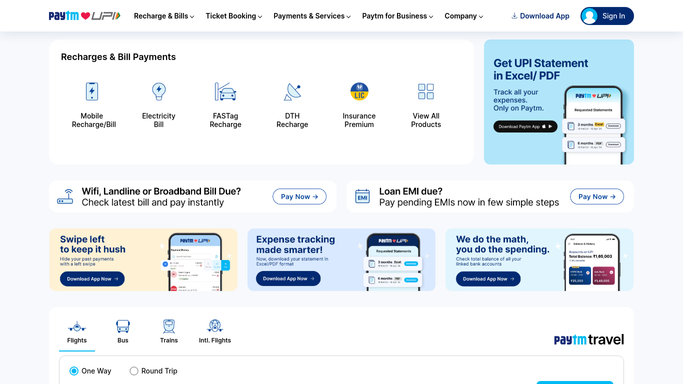
WebRun opens Paytm to check today's failure rate. - Open the Paytm merchant dashboard and pull today's transactions
- Calculate the failed and declined transaction rate
- Compare it against your recent average
Done when Today's failure rate is calculated against the recent average.
-
2
Slack - post the failure numbers
slack.com How to Automate Slack

WebRun opens Slack to post the failure numbers. - Post the current failure rate to the ops channel
- Include the total transaction count for context
- Leave it as a read only update
Done when The ops channel has the current failure rate.
-
3
Telegram - ping on a threshold breach
telegram.org How to Automate Telegram

WebRun opens Telegram to ping on a threshold breach. - Check whether the failure rate has crossed your threshold
- Send a Telegram ping only if it has
- Stay quiet when the rate is within the usual range
Done when You're pinged only when the failure rate crosses the threshold.
How is each run configured?
Secure by default
Connect once, stays signed in
WebRun signs in once and keeps each session in a persistent environment, so every run picks up right where it left off.
Every action is checked against this policy before it runs.
Questions, answered
Will it retry the failed transactions itself?
No. WebRun never sends a payment, issues a refund, or transfers funds on its own. It only reads transaction data and alerts you, leaving any retry or investigation to your team.
How is the threshold set?
You choose the failure rate percentage when you turn the workflow on, and Telegram only pings when the live rate crosses it.
Does it tell me why transactions are failing?
It reports the rate and count so your team knows something is wrong, but the underlying cause still needs a look at Paytm directly, WebRun surfaces the signal, not the root cause.
Related templates
Put this on autopilot.
Turn it on in minutes - or have our team set it up for you.