Capture rental inquiries without missing a lead
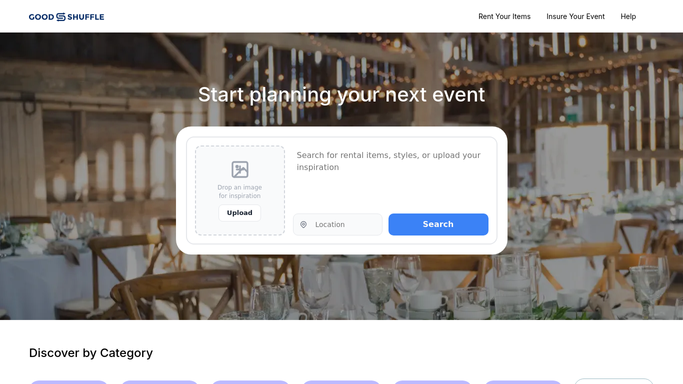
When a new inquiry lands in Goodshuffle Pro, WebRun logs the customer name, event date, items requested, and contact details to a Google Sheet and pings your team in Slack so someone can follow up within the hour.
- No credit card
- Under $0.01 per run
- Cancel anytime
What does WebRun do on every run?
The exact actions WebRun takes, in order - in plain language, so you can adjust anything.
-
WebRun signs in and gets to work
Opens
app.goodshuffle.comin a real browser with your saved login - no setup, no API keys. -
1
Goodshuffle Pro - detect new quote request
goodshuffle.com How to Automate Goodshuffle Pro

WebRun opens Goodshuffle Pro to detect new quote request. - Open Goodshuffle Pro and check the Leads or Inquiries queue for new submissions
- Read the customer name, event date, venue, items requested, and contact information
- Skip any inquiry already logged in the tracking sheet
Done when Every new inquiry has been read with its full details captured.
-
2
Google Sheets - log inquiry details
google.com How to Automate Google Sheets
WebRun opens Google Sheets to log inquiry details. - Open the rental inquiry tracking spreadsheet
- Append a new row with the customer name, event date, items requested, phone, email, and timestamp
- Mark the status column as 'New' so it stands out in the sheet
Done when Each new inquiry appears as a row in the tracking sheet with all contact details.
-
3
Slack - alert the team
slack.com How to Automate Slack
WebRun opens Slack to alert the team. - Post a short alert to the rentals channel naming the customer, event date, and items requested
- Include the customer's phone and email so the team can follow up immediately
- Tag the channel so the notification reaches everyone on duty
Done when The team has received a Slack alert for every new inquiry.


How do I automatically capture and log party rental inquiries?
WebRun monitors Goodshuffle Pro for new rental inquiries around the clock. When a request arrives, it logs the customer name, event date, items, and contact details to Google Sheets and posts an instant Slack alert to your team, so every lead is captured and someone can follow up within the hour.
- Every new inquiry is logged to Google Sheets within minutes of arrival
- Your team gets a Slack alert with full contact details so follow-up happens fast
- No lead slips through during evenings, weekends, or busy event days
Built for party rental companies · event rental businesses · tent and linen rental operators · bounce house rental companies
How is each run configured?
Secure by default
Connect once, stays signed in
WebRun signs in once and keeps each session in a persistent environment, so every run picks up right where it left off.
Every action is checked against this policy before it runs.
Questions, answered
Will it reply to the customer automatically?
No. WebRun only logs the inquiry and alerts your team internally. Any reply to the customer is drafted for your review before it goes out, so your first impression is always human-approved.
What information gets logged to the sheet?
Customer name, event date, venue, items requested, phone number, email address, and the timestamp of the inquiry. Every column is added in one row so your team has everything needed to follow up.
What if an inquiry comes in outside business hours?
WebRun runs around the clock, so inquiries that arrive overnight or on weekends are logged and flagged in Slack right away. Your team sees them first thing and no lead waits until Monday to be noticed.
Related templates
Put this on autopilot.
Turn it on in minutes - or have our team set it up for you.