Win back past clients with a seasonal rental offer
Every Monday, WebRun opens Booqable, finds customers whose last completed rental was more than 12 months ago and who have not been contacted recently, adds them to a Mailchimp segment for win-back campaigns, drafts a seasonal offer email for your approval, and posts the re-engagement count to Slack so your team stays informed.
- No credit card
- Under $0.01 per run
- Cancel anytime
What does WebRun do on every run?
The exact actions WebRun takes, in order - in plain language, so you can adjust anything.
-
WebRun signs in and gets to work
Opens
app.booqable.comin a real browser with your saved login - no setup, no API keys. -
1
Booqable - find customers inactive for over 12 months
booqable.com How to Automate Booqable

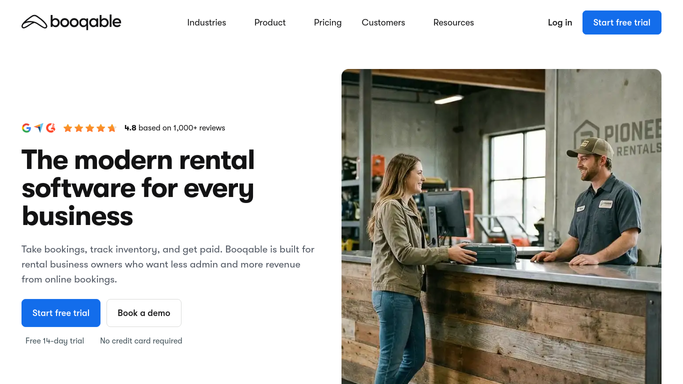
WebRun opens Booqable to find customers inactive for over 12 months. - Open Booqable and filter completed orders to find customers whose most recent rental event date was more than 12 months ago
- Exclude customers who have a booking in the pipeline or who have been contacted in the last 90 days
- Capture the customer name, email, last event date, and the items they rented previously
Done when A list of lapsed customers with their contact details and rental history is ready for re-engagement.
-
2
Mailchimp - add to win-back segment and draft offer email
mailchimp.com How to Automate Mailchimp
WebRun opens Mailchimp to add to win-back segment and draft offer email. - Open Mailchimp and add or update the lapsed customers in a dedicated win-back audience segment
- Draft a seasonal re-engagement email using the customer's first name and a reference to their previous rental category
- Save the email as a draft campaign. Do not schedule or send it until a team member reviews and approves the content
Done when Lapsed customers are added to the win-back segment and a seasonal offer draft email is saved in Mailchimp for review.
-
3
Slack - post the re-engagement summary
slack.com How to Automate Slack
WebRun opens Slack to post the re-engagement summary. - Post a re-engagement summary to the sales Slack channel showing the number of lapsed customers found this week
- Note the top rental categories among the lapsed group so the offer can be tailored
- Remind the team that the Mailchimp draft is ready for review before scheduling
Done when Your team has a Slack summary with the re-engagement count and a prompt to review the Mailchimp draft.


How do I automatically win back lapsed party rental customers?
WebRun opens Booqable every Monday and finds customers who last rented more than 12 months ago and have no active pipeline. It adds them to a Mailchimp win-back segment, drafts a personalized seasonal offer for your team to review, and posts the re-engagement count to Slack so past clients become future bookings.
- Lapsed customers are identified and segmented every Monday without manual list building
- Personalized seasonal offer drafts are ready for one-click review in Mailchimp
- Re-engagement happens on a consistent cadence instead of only when someone has spare time
Built for party rental companies · event rental businesses · tent and linen rental operators · bounce house and furniture rental companies
How is each run configured?
Secure by default
Connect once, stays signed in
WebRun signs in once and keeps each session in a persistent environment, so every run picks up right where it left off.
Every action is checked against this policy before it runs.
Questions, answered
Will it send the offer to past customers automatically?
No. WebRun adds customers to the Mailchimp segment and saves the draft email, but nothing is sent until a team member reviews the content and clicks Send in Mailchimp. You control the message and the timing.
How does it know which customers count as lapsed?
WebRun identifies customers in Booqable whose most recent completed rental event date is more than 12 months in the past and who have no open quotes or orders in the current pipeline. The lookback window can be adjusted in your setup.
Can it personalize the offer based on what the customer rented before?
Yes. WebRun reads the items or rental categories from the customer's last order in Booqable and uses that information to tailor the draft email so it references something they actually rented, making the outreach more relevant.
Related templates
Put this on autopilot.
Turn it on in minutes - or have our team set it up for you.