Hand off unmatched bank transactions to your bookkeeper
WebRun checks Pandle for bank feed transactions that haven't been matched, creates a Trello card for your bookkeeper to review, and messages you on WhatsApp with a heads up.
- No credit card
- Under $0.01 per run
- Cancel anytime
How do I make sure unmatched Pandle bank transactions get reviewed?
WebRun checks Pandle's bank feed every morning for transactions still unmatched after 5 days, creates a Trello card per transaction assigned to your bookkeeper, and messages you on WhatsApp with the count and the oldest one. Matching stays a manual step inside Pandle, this just makes sure aging transactions don't get forgotten.
- Aging unmatched transactions get an assigned card instead of sitting in the feed
- Your bookkeeper isn't flooded with cards for same day matches
- A quick WhatsApp heads up replaces checking the feed manually
Built for small businesses · bookkeepers · sole traders · accounting firms
What does WebRun do on every run?
The exact actions WebRun takes, in order - in plain language, so you can adjust anything.
-
WebRun signs in and gets to work
Opens
my.pandle.comin a real browser with your saved login - no setup, no API keys. -
1
Pandle - find unmatched bank transactions
pandle.com
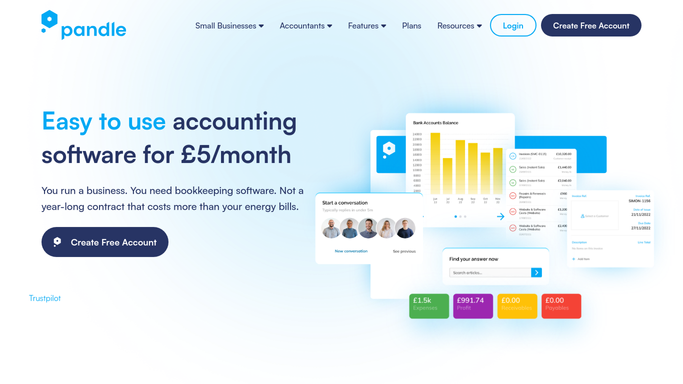
WebRun opens Pandle to find unmatched bank transactions. - Open Pandle and check the connected bank feed for unmatched transactions
- Note the date, amount, and description of each
- Flag any unmatched for more than 5 days
Done when Every unmatched transaction is listed with how long it's been open.
-
2
Trello - create a Trello card for the bookkeeper
trello.com How to Automate Trello

WebRun opens Trello to create a Trello card for the bookkeeper. - Create a card for each transaction unmatched more than 5 days
- Include the date, amount, and description
- Assign the card to your bookkeeper
Done when Every aging unmatched transaction has an assigned Trello card.
-
3
WhatsApp - message you on WhatsApp
whatsapp.com How to Automate WhatsApp

WebRun opens WhatsApp to message you on WhatsApp. - Message you the count of unmatched transactions and the oldest one
- Keep the message to a couple of lines
- Skip the message when the feed is fully matched
Done when You're messaged only when unmatched transactions remain.
How is each run configured?
Secure by default
Connect once, stays signed in
WebRun signs in once and keeps each session in a persistent environment, so every run picks up right where it left off.
Every action is checked against this policy before it runs.
Questions, answered
Does it match the transactions for me?
No. It only flags what's unmatched and hands it to your bookkeeper as a Trello card. Matching each one is still done inside Pandle.
Why wait 5 days before creating a card?
So the bookkeeper isn't flooded with cards for transactions that would have matched naturally within a few days. Only aging ones get escalated.
Will this message my bank or a customer?
No. The WhatsApp message goes only to you, as a heads up. It never contacts your bank or a customer.
Related templates
Put this on autopilot.
Turn it on in minutes - or have our team set it up for you.