Start your day with an OpenProject work package digest
Every morning, WebRun reads OpenProject for work packages due today or updated since yesterday, checks Gmail for any pending correspondence tied to packages marked blocked, and logs one row per package, with status, assignee, and correspondence check, to Google Sheets.
- No credit card
- Under $0.01 per run
- Cancel anytime
What does WebRun do on every run?
The exact actions WebRun takes, in order - in plain language, so you can adjust anything.
-
WebRun signs in and gets to work
Opens
www.openproject.orgin a real browser with your saved login - no setup, no API keys. -
1
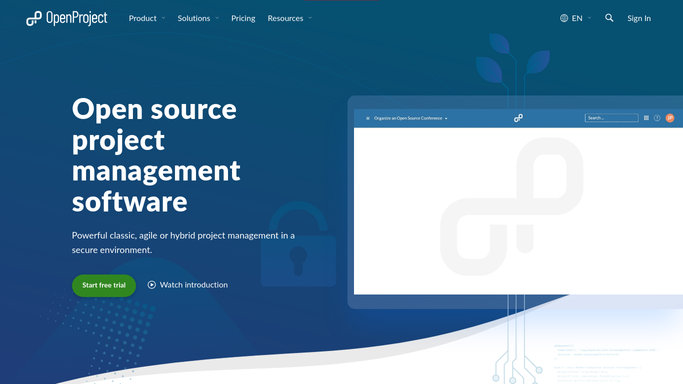
OpenProject - read today's due and updated work packages
openproject.org

WebRun opens OpenProject to read today's due and updated work packages. - Open the project's work package table
- Filter for items due today or updated since yesterday
- Capture the package, status, and assignee
Done when Every work package due today or updated since yesterday is listed with its status.
-
2
Gmail - check for blocking correspondence
gmail.com How to Automate Gmail
WebRun opens Gmail to check for blocking correspondence. - Search for recent email threads referencing any blocked work package
- Note whether a reply is still pending
- Skip packages with no matching thread
Done when Every blocked work package has been checked for pending correspondence.
-
3
Google Sheets - log the daily digest
google.com How to Automate Google Sheets
WebRun opens Google Sheets to log the daily digest. - Open the daily digest sheet
- Log one row per work package with status and assignee
- Add the correspondence status for any blocked package
Done when Today's digest is saved in Google Sheets.


How do I get a daily digest of OpenProject work packages?
Every morning, WebRun reads OpenProject for work packages due today or updated since yesterday, checks Gmail for any pending correspondence tied to packages marked blocked, and logs one row per package, with status, assignee, and correspondence check, to Google Sheets, giving the team a single daily view of where every package stands.
- The team sees a daily digest instead of opening the work package table
- Blocked packages get their correspondence checked automatically
- A running Google Sheets history builds without manual entry
Built for project managers · engineering teams · public sector IT · open source teams
How is each run configured?
Secure by default
Connect once, stays signed in
WebRun signs in once and keeps each session in a persistent environment, so every run picks up right where it left off.
Every action is checked against this policy before it runs.
Questions, answered
Does it update work package statuses?
No. It only reads current statuses and reports them. Changing a status is left to the assignee.
Does it reply to any emails it finds?
No. It only reads Gmail to check whether a blocking thread still has a pending reply, it never sends or drafts anything.
What counts as blocked?
A work package whose status is set to blocked or on hold inside OpenProject, not anything WebRun infers on its own.
Related templates
Put this on autopilot.
Turn it on in minutes - or have our team set it up for you.