Keep new comments on your group answered
Every hour, WebRun opens your Odnoklassniki group, reads the comments left under recent posts since the last check, drafts a suggested reply for each in your tone, posts the queue to Microsoft Teams for approval, and pings you on WhatsApp when a comment needs a fast answer.
- No credit card
- Under $0.01 per run
- Cancel anytime
How do I keep up with comments on my social media group?
Every hour WebRun opens your Odnoklassniki group, reads the new comments left under recent posts, and writes a suggested reply for each in your own tone. It posts the queue to Microsoft Teams for approval and pings WhatsApp when a comment looks urgent. Nothing is published without you.
- Public questions do not sit unanswered where customers can see them
- Every comment arrives with a reply already written
- Nothing is published without a human approving it
Built for community managers · social media teams · small brands · customer support
What does WebRun do on every run?
The exact actions WebRun takes, in order - in plain language, so you can adjust anything.
-
WebRun signs in and gets to work
Opens
ok.ruin a real browser with your saved login - no setup, no API keys. -
1
Odnoklassniki - read new comments on posts
ok.ru
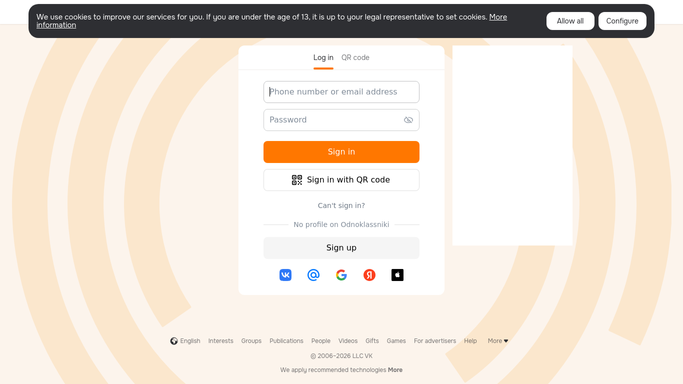
WebRun opens Odnoklassniki to read new comments on posts. - Open your Odnoklassniki group and go through the posts with new activity
- Collect the comments added since the last run, with the commenter, the post, and the time
- Sort questions and complaints apart from simple praise. Read only: never post, like, or delete a comment
Done when Every new comment since the last run is collected and classified.
-
2
Microsoft Teams - queue drafted replies for approval
microsoft.com How to Automate Microsoft Teams

WebRun opens Microsoft Teams to queue drafted replies for approval. - Post each new comment to your community channel with a drafted reply underneath
- Match the tone you gave WebRun at setup, and keep replies short and factual
- Leave every draft unpublished for a human to approve, edit, or reject
Done when Every new comment sits in Teams with a drafted reply awaiting approval.
-
3
WhatsApp - flag the urgent ones
whatsapp.com How to Automate WhatsApp

WebRun opens WhatsApp to flag the urgent ones. - Message the community manager when a comment reads as a complaint or an urgent question
- Quote the comment and name the post it sits under
- Stay quiet on hours where every new comment is routine
Done when Urgent comments have been flagged to the community manager.
How is each run configured?
Secure by default
Connect once, stays signed in
WebRun signs in once and keeps each session in a persistent environment, so every run picks up right where it left off.
Every action is checked against this policy before it runs.
Questions, answered
Will it post replies publicly without me?
No. Every reply is drafted and queued in Microsoft Teams for a person to approve. WebRun never publishes a comment, a reply, or a post on your group.
Can it delete or hide a comment?
No. It only reads the public comments under your posts. Deleting, hiding, or reporting a comment stays entirely a human action inside Odnoklassniki.
How does it know which comments are urgent?
It separates complaints and direct questions from routine praise, and flags the first group on WhatsApp so a public problem gets seen within the hour.
Related templates
Put this on autopilot.
Turn it on in minutes - or have our team set it up for you.