Draft this month's JIB statements for review
After the monthly close, WebRun opens Petrofly, reads each working interest owner's share of well costs, builds a joint interest billing statement per owner in Excel, and drafts the cover email to each partner, leaving every statement and email unsent for your review.
- No credit card
- Under $0.01 per run
- Cancel anytime
How do I draft monthly joint interest billing statements for review automatically?
After the monthly close, WebRun opens Petrofly, reads each working interest owner's share of well costs, and builds a joint interest billing statement per owner in Excel. It drafts the cover email to each partner in Gmail and leaves every statement and email unsent for your review, so JIB goes out accurate and on time once you approve it.
- JIB statements are ready to review within hours of close, not days
- Each owner's share is footed and checked before it goes out
- Non-consent and carried owners are flagged so nothing is billed wrong
Built for oil and gas operators · revenue accountants · upstream producers · joint venture accounting
What does WebRun do on every run?
The exact actions WebRun takes, in order - in plain language, so you can adjust anything.
-
WebRun signs in and gets to work
Opens
petrofly.comin a real browser with your saved login - no setup, no API keys. -
1
Petrofly - read each owner's cost share
petrofly.com How to Automate Petrofly
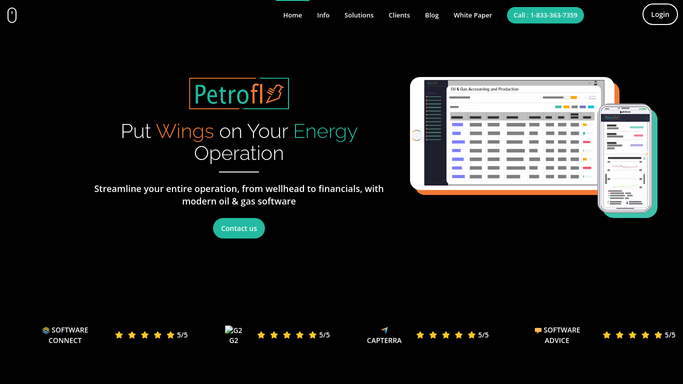
WebRun opens Petrofly to read each working interest owner's share of well costs. - Open Petrofly and read the allocated well costs for the month by working interest owner
- Capture each owner's decimal interest and their share of each cost category
- Note any owner in a non-consent or carried position so it can be handled correctly
Done when Every working interest owner's cost share for the month has been captured from Petrofly.
-
2
Excel - build the JIB statement per owner
microsoft.com How to Automate Excel

WebRun builds a joint interest billing statement per owner in Excel. - Open the JIB statement workbook and build one statement per owner
- List each cost category, the owner's decimal interest, and their billed share
- Total the amount due and check each statement foots before it is sent
Done when A joint interest billing statement is built in Excel for every working interest owner.
-
3
Gmail - draft the statement cover emails
gmail.com How to Automate Gmail

WebRun drafts each JIB cover email with the statement attached and leaves it unsent. - Draft a short, on-brand cover email to each partner with their JIB statement attached
- State the amount due, the well, and the period, and how to remit
- Save every message as a draft and leave it unsent for your review
Done when A JIB cover-email draft with the statement attached sits ready in Gmail for every owner.
How is each run configured?
Secure by default
Connect once, stays signed in
WebRun signs in once and keeps each session in a persistent environment, so every run picks up right where it left off.
Every action is checked against this policy before it runs.
Questions, answered
Will it send JIB statements to partners without me?
No. WebRun builds each statement in Excel and drafts the cover email in Gmail, then leaves both unsent. You review every statement and click send, so nothing reaches a partner before you approve it.
How does it work out each owner's billed share?
It reads the allocated well costs and each owner's decimal interest in Petrofly, then applies the interest to each cost category. Every statement is footed and checked before it is drafted.
What about owners in a non-consent position?
WebRun flags any owner in a non-consent or carried position from Petrofly and leaves their statement for you to handle, so a penalty or carry is never billed incorrectly without review.
Related templates
Put this on autopilot.
Turn it on in minutes - or have our team set it up for you.