Catch empty slots in your Ocoya content calendar before they go live
Every Monday, WebRun opens Ocoya, checks the week's scheduled posting slots across your connected accounts, syncs the upcoming slots to Google Calendar, and messages you on WhatsApp if a slot in the next 3 days has no content queued behind it.
- No credit card
- Under $0.01 per run
- Cancel anytime
How do I make sure my Ocoya posting schedule never has an empty slot?
WebRun checks Ocoya every Monday for the week's scheduled posting slots, syncs them to Google Calendar, and messages you on WhatsApp if a slot in the next few days has no content queued behind it. It never schedules a post itself, so filling the gap is always a decision you make.
- An empty posting slot gets caught days in advance, not after it goes out blank
- Your calendar always mirrors what's actually scheduled in Ocoya
- WhatsApp catches the gap even on a week you don't open Ocoya
Built for Ecommerce brands · social media managers · small marketing teams · agencies
What does WebRun do on every run?
The exact actions WebRun takes, in order - in plain language, so you can adjust anything.
-
WebRun signs in and gets to work
Opens
app.ocoya.comin a real browser with your saved login - no setup, no API keys. -
1
Ocoya - check this week's scheduled slots
ocoya.com
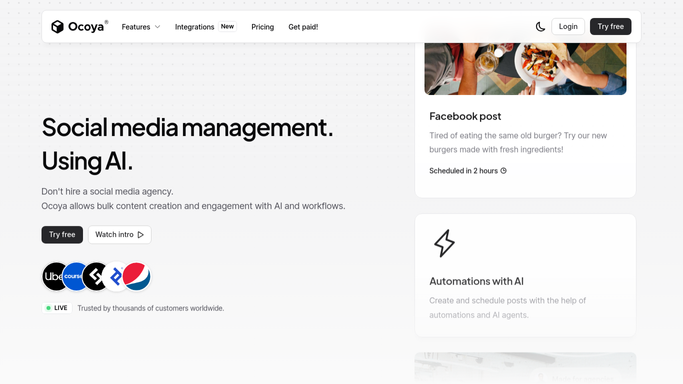
WebRun opens Ocoya to check this week's scheduled slots. - Open Ocoya and review the posting schedule for the week ahead
- Check each scheduled slot across your connected accounts
- Flag any slot in the next 3 days with no content queued
Done when Every slot for the week ahead has been checked for content.
-
2
Google Calendar - sync the upcoming slots
calendar.google.com How to Automate Google Calendar

WebRun opens Google Calendar to sync the upcoming slots. - Open your content calendar
- Add or update an event for each upcoming Ocoya slot
- Mark any flagged empty slot clearly on the calendar
Done when The calendar reflects this week's full Ocoya schedule, gaps included.
-
3
WhatsApp - message you about empty ones
whatsapp.com How to Automate WhatsApp

WebRun opens WhatsApp to message you about empty ones. - Message you if a slot in the next 3 days is still empty
- Include the date and which account it's for
- Skip the message on weeks with a full queue
Done when You've been messaged about every empty slot in the next 3 days.
How is each run configured?
Secure by default
Connect once, stays signed in
WebRun signs in once and keeps each session in a persistent environment, so every run picks up right where it left off.
Every action is checked against this policy before it runs.
Questions, answered
Does WebRun add posts to Ocoya to fill the gap?
No. It only flags the empty slot. Writing and scheduling the actual content is still up to you.
How far ahead does it check?
It looks at the coming week's schedule and flags anything in the next 3 days with nothing queued, so there's still time to act.
Will my calendar match what's actually scheduled in Ocoya?
Yes. Google Calendar is synced with Ocoya's schedule each week, including a clear marker on any slot that's still empty.
Related templates
Put this on autopilot.
Turn it on in minutes - or have our team set it up for you.