Keep every streaming machine on the current OBS build
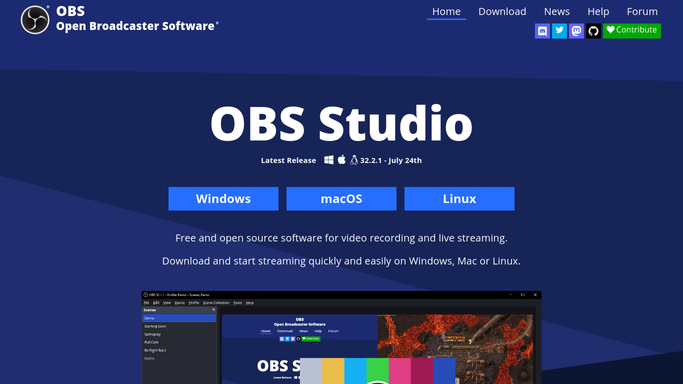
Every Monday, WebRun opens the OBS Studio site, reads the current release version and what changed in it, compares that against the version recorded for each streaming machine in your Airtable rig inventory, marks the machines that are behind, and texts your on-call operator through Twilio so no rig goes live on a stale build.
- No credit card
- Under $0.01 per run
- Cancel anytime
What does WebRun do on every run?
The exact actions WebRun takes, in order - in plain language, so you can adjust anything.
-
WebRun signs in and gets to work
Opens
obsproject.comin a real browser with your saved login - no setup, no API keys. -
1
OBS Studio - read the current release
obsproject.com

WebRun opens OBS Studio to read the current release. - Open the OBS Studio site and read the current release version for each platform you run
- Note the release date and the headline changes listed for that version
- Record whether the release is a full version or a patch so urgency is clear
Done when The current OBS Studio version and its release notes are captured for every platform you run.
-
2
Airtable - compare against the rig inventory
airtable.com How to Automate Airtable
WebRun opens Airtable to compare against the rig inventory. - Open your rig inventory base and read the OBS version recorded against each machine
- Mark every machine whose version is behind the current release
- Write the current version, the release date, and the gap in versions onto each affected row
- Sort the flagged rows so the machines with a stream booked this week come first
Done when Every machine behind the current release is flagged in Airtable with the gap written on it.
-
3
Twilio - text the on-call operator
twilio.com How to Automate Twilio
WebRun opens Twilio to text the on-call operator. - Draft a short text naming the machines that are behind and the version they need
- Send it only to the on-call operator number saved on your account
- Hold any message addressed to a number outside that saved list as a draft for you to approve
- Stay silent in weeks when every rig already runs the current release
Done when The on-call operator has been texted about every rig left on an old build.


How do I make sure every streaming machine runs the current OBS version?
WebRun checks the current OBS Studio release every Monday, then compares it against the version recorded for each streaming machine in your Airtable rig inventory. It flags the machines that are behind, notes which ones have a stream booked, and texts your on-call operator through Twilio.
- No rig goes live on a stale build without someone knowing
- The version gap is written on the inventory row, not in someone's memory
- Machines with a stream booked this week get fixed first
Built for broadcast teams · streamers · AV technicians · production studios
How is each run configured?
Secure by default
Connect once, stays signed in
WebRun signs in once and keeps each session in a persistent environment, so every run picks up right where it left off.
Every action is checked against this policy before it runs.
Questions, answered
Will it install or update OBS on my machines?
No. WebRun never downloads or installs anything. It reads the current release version, marks which rigs are behind in Airtable, and tells your operator. The update itself is always done by a person at the machine.
Who receives the text message?
Only the on-call operator number saved on your account. Any message addressed to a number outside that saved list is held as a draft for you to approve, so nothing goes out to an unexpected recipient.
Will it text me every week even when nothing changed?
No. It stays silent in weeks when every rig in the inventory already runs the current release, so a text always means a real gap on a real machine.
Related templates
Put this on autopilot.
Turn it on in minutes - or have our team set it up for you.