Automated OBS Pre-Stream Readiness Checks
Every morning, WebRun steps through your OBS Studio setup, confirms the right profile and scene collection are loaded, that every source in the live scenes is active, that audio is present on each mixer track, and that output settings and recording space are right, then drafts a note to the guest in Gmail and posts a go or no go checklist to Slack.
How do I run a pre-stream checklist before going live?
WebRun runs your pre-stream checks every morning in OBS Studio: the right profile and scene collection loaded, every source active, audio present on each mixer track, and output settings and recording space correct. It drafts a guest note in Gmail for you to send and posts a plain go or no go checklist to Slack before air.
- A muted mic or missing source is caught off camera, not on air
- Every broadcast starts from a checked scene collection and profile
- Recording space is confirmed before a long session fills the drive
Built for streamers · podcast producers · AV teams · webinar hosts · creator studios
What does WebRun do on every run?
The exact actions WebRun takes, in order - in plain language, so you can adjust anything.
-
WebRun signs in and gets to work
Opens
obsproject.comin a real browser with your saved login - no setup, no API keys. -
1
OBS Studio - check scenes, sources, audio, and output
obsproject.com
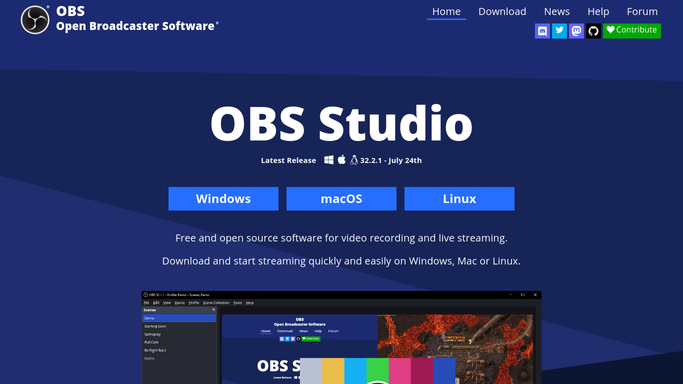
WebRun opens OBS Studio to check scenes, sources, audio, and output. - Confirm the profile and scene collection you stream with are the ones loaded
- Walk each scene in the live rotation and check every source is present and active, not missing or greyed out
- Check the audio mixer shows a signal on each track you use, and that nothing you need is muted
- Read the output settings and confirm the resolution, frame rate, and bitrate match the ones you stream at
- Check the recording path points at a drive with room for the session length you have planned
Done when Every scene, source, audio track, and output setting has passed or been flagged.
-
2
Gmail - draft the note to your guest or producer
gmail.com

WebRun opens Gmail to draft the note to your guest or producer. - Draft a short note to today's guest or producer confirming the start time and the join link
- Add any warning worth flagging in advance, such as a source that needs their end fixed
- Leave the email unsent. WebRun never emails a guest or a client on its own
- Skip the draft entirely on days with no guest booked
Done when A confirmation note is drafted for every guest on today's schedule.
-
3
Slack - post the go or no go checklist
slack.com

WebRun opens Slack to post the go or no go checklist. - Post the checklist to your production channel as a pass or fail line per item
- Put the failures at the top with what to fix and where to fix it
- State a plain go or no go at the end so the call is clear before anyone opens a camera
Done when The team has this morning's go or no go checklist in Slack.
How is each run configured?
Secure by default
Connect once, stays signed in
WebRun signs in once and keeps each session in a persistent environment, so every run picks up right where it left off.
Every action is checked against this policy before it runs.
Questions, answered
Will it change my OBS settings if something is wrong?
No. WebRun checks and reports. It never edits a scene, unmutes a track, or rewrites your output settings, because a wrong fix minutes before air is worse than a flagged warning.
Does it start the stream or the recording?
No. Going live stays a human action. WebRun only tells you whether the setup is ready, so you press the button knowing the mic is open and the scene is loaded.
Will it email my guest without asking?
No. The guest note is left as an unsent Gmail draft for you to read and send. Only the internal Slack checklist posts on its own.
Related templates
Put this on autopilot.
Turn it on in minutes - or have our team set it up for you.