Chase stale Notability notes before they're forgotten
Every Monday, WebRun opens the Notability backup folder in Google Drive, finds handwritten notes tagged as needing follow up, checks each one's last synced date, and posts a Slack chase for anything untouched for over a week.
- No credit card
- Under $0.01 per run
- Cancel anytime
What does WebRun do on every run?
The exact actions WebRun takes, in order - in plain language, so you can adjust anything.
-
WebRun signs in and gets to work
Opens
www.notability.comin a real browser with your saved login - no setup, no API keys. -
1
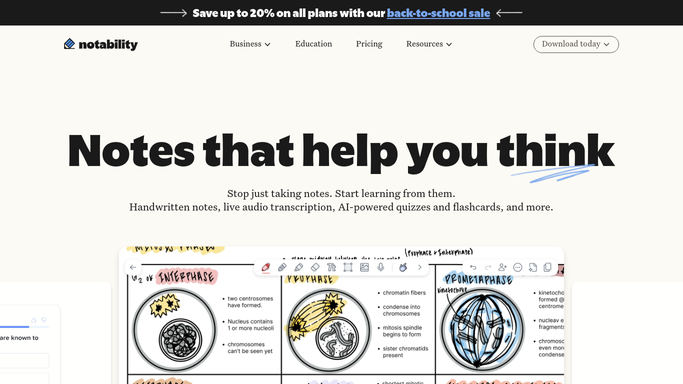
Notability - find notes tagged as needing follow up
notability.com

WebRun opens Notability to find notes tagged as needing follow up. - Open the note library
- Find notes tagged or titled as needing follow up or action items
- Capture the note title and owner
Done when Every note tagged as needing follow up is listed with its owner.
-
2
Google Drive - check when each note last synced
drive.google.com How to Automate Google Drive
WebRun opens Google Drive to check when each note last synced. - Open the Notability backup folder
- Check each flagged note's last synced or modified date
- Mark anything untouched for over a week as stale
Done when Every flagged note has its last sync date checked, and stale ones are marked.
-
3
Slack - chase the stale notes
slack.com How to Automate Slack
WebRun opens Slack to chase the stale notes. - Post a chase message listing stale, unfinished notes
- Name each note's owner
- Include how long it has sat untouched
Done when The team channel has today's stale notes chase in Slack.


How do I chase stale, unfinished Notability notes?
WebRun checks your Notability backup folder in Google Drive every Monday for handwritten notes tagged as needing follow up. Any note untouched for over a week gets flagged, and WebRun posts a Slack chase naming the note, its owner, and how long it has sat idle, so nothing important stays buried in a notebook.
- Follow up notes get chased weekly instead of forgotten in a notebook
- Only tagged, actionable notes are surfaced, not every note taken
- The team sees one clear Slack list instead of digging through backups
Built for consultants · teachers · legal teams · field professionals
How is each run configured?
Secure by default
Connect once, stays signed in
WebRun signs in once and keeps each session in a persistent environment, so every run picks up right where it left off.
Every action is checked against this policy before it runs.
Questions, answered
Does it read the handwriting inside my notes?
No. It reads note titles, tags, and sync timestamps from your Google Drive backup, not the handwritten content itself.
How does it know a note needs follow up?
It looks for notes you've tagged or titled as needing follow up or action items, it does not guess from untagged notes.
Will it delete or archive old notes?
No. It only reports what's stale in Slack. Archiving or deleting anything is left to you.
Related templates
Put this on autopilot.
Turn it on in minutes - or have our team set it up for you.