Export your Nearpod session results automatically
Every hour, WebRun opens Nearpod, checks for sessions that have just ended, exports participation and quiz results to Google Sheets, and logs a follow up note in Notion for any student who struggled.
- No credit card
- Under $0.01 per run
- Cancel anytime
How do I export my Nearpod session results automatically?
WebRun checks Nearpod every hour for sessions that just ended and exports each student's participation and quiz results to Google Sheets. It also logs a follow up note in Notion for anyone who scored well below the class average, so results are ready to review right after class, not days later.
- Results are exported within the hour of a session ending
- Struggling students get flagged with the specific question they missed
- Trends are visible across sessions in one Sheets tab
Built for K12 teachers · instructional coaches · edtech coordinators · curriculum teams
What does WebRun do on every run?
The exact actions WebRun takes, in order - in plain language, so you can adjust anything.
-
WebRun signs in and gets to work
Opens
nearpod.comin a real browser with your saved login - no setup, no API keys. -
1
Nearpod - check finished session results
nearpod.com
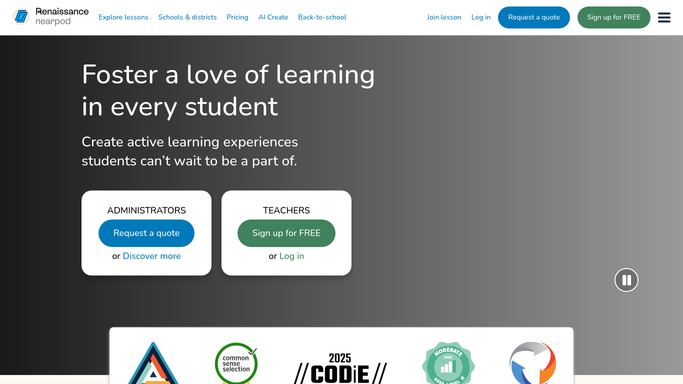
WebRun opens Nearpod to check finished session results. - Open Nearpod and check for sessions that ended since the last run
- Pull participation and quiz results for each student
- Note anyone who scored well below the class average
Done when Every newly finished session has been checked for results.
-
2
Google Sheets - export participation & scores
google.com How to Automate Google Sheets

WebRun opens Google Sheets to export participation & scores. - Add a row per student with their participation and quiz score
- Group rows by session so results are easy to compare
- Keep prior sessions in the sheet for trend tracking
Done when This session's results are exported to Sheets.
-
3
Notion - log a follow up note
notion.so How to Automate Notion

WebRun opens Notion to log a follow up note. - Add a follow up note for any student who scored well below average
- Include the topic and the specific question they missed
- Leave the actual re teaching decision to the teacher
Done when A follow up note exists for every student flagged from the session.
How is each run configured?
Secure by default
Connect once, stays signed in
WebRun signs in once and keeps each session in a persistent environment, so every run picks up right where it left off.
Every action is checked against this policy before it runs.
Questions, answered
Does it reteach the material automatically?
No. WebRun only flags who struggled and logs a note. Deciding how to follow up stays with the teacher.
How soon after a session does it export results?
It checks for newly finished sessions every hour, so results are usually in Sheets within the hour of the session ending.
Does it keep results from past sessions?
Yes. Each session adds new rows to the sheet rather than replacing the last one, so you can track trends over the term.
Related templates
Put this on autopilot.
Turn it on in minutes - or have our team set it up for you.