Hand off flagged NAB transactions to your bookkeeper
Every hour, WebRun opens NAB, flags transactions that need a closer look based on the threshold you set, saves the flagged list to Google Drive, and texts your bookkeeper through Twilio so the review happens the same day.
- No credit card
- Under $0.01 per run
- Cancel anytime
How do I route flagged NAB transactions to my bookkeeper?
WebRun checks NAB every hour for transactions above the threshold you set, saves the flagged list to Google Drive, and texts your bookkeeper through Twilio the same day. It never categorizes, reverses, or moves a transaction itself, so review happens quickly while the final call always stays with your bookkeeper.
- Flagged transactions reach the bookkeeper within the hour
- Every flagged item is archived, not just texted and forgotten
- Routine transactions stay quiet since only threshold breaches alert
Built for small business owners · bookkeepers · finance managers · accounting firms
What does WebRun do on every run?
The exact actions WebRun takes, in order - in plain language, so you can adjust anything.
-
WebRun signs in and gets to work
Opens
www.nab.com.auin a real browser with your saved login - no setup, no API keys. -
1
NAB - flag transactions needing review
nab.com.au
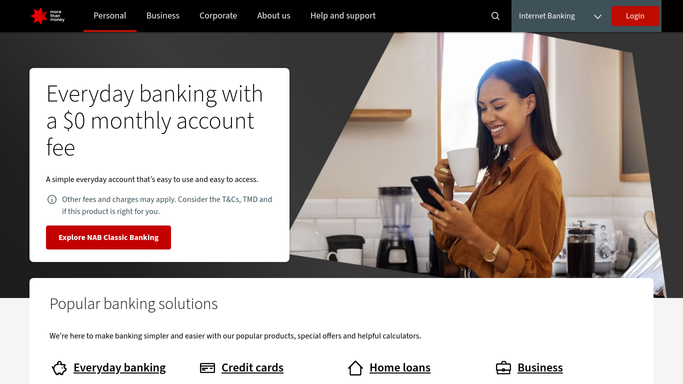
WebRun opens NAB to flag transactions needing review. - Open NAB Internet Banking and pull the latest transactions
- Flag anything above your set threshold or outside the usual pattern
- Note the amount, payee, and time for each
Done when Every transaction needing review is captured.
-
2
Google Drive - save the flagged list
drive.google.com How to Automate Google Drive

WebRun opens Google Drive to save the flagged list. - Save the flagged transaction list to the bookkeeping folder
- Append it to the running monthly log
- Keep prior days' entries untouched
Done when Today's flagged transactions are archived in Drive.
-
3
Twilio - text the bookkeeper
twilio.com How to Automate Twilio

WebRun opens Twilio to text the bookkeeper. - Check whether anything new was flagged this hour
- Text the bookkeeper only when there's something new
- Include the amount and payee in the message
Done when The bookkeeper is texted about any new flagged transaction.
How is each run configured?
Secure by default
Connect once, stays signed in
WebRun signs in once and keeps each session in a persistent environment, so every run picks up right where it left off.
Every action is checked against this policy before it runs.
Questions, answered
Will it categorize or reverse a flagged transaction itself?
No. WebRun never sends a payment, issues a refund, or transfers funds on its own. It only flags and logs a transaction, leaving categorization and any account action to your bookkeeper.
How is the review threshold set?
You choose the amount when you turn the workflow on, and WebRun only flags a live NAB transaction when it crosses that threshold.
Does the bookkeeper get texted for every flagged item?
No. Twilio only fires when something new is flagged that hour, so the bookkeeper isn't paged repeatedly for the same items.
Related templates
Put this on autopilot.
Turn it on in minutes - or have our team set it up for you.