Get every timesheet approved before the pay run
Every Monday, WebRun opens MYOB, reads the timesheets and leave requests dated inside the current pay period, finds the ones still waiting on a manager, logs every gap in Airtable against the employee and the approver, and nudges those managers on WhatsApp before payroll is processed.
- No credit card
- Under $0.01 per run
- Cancel anytime
How do I make sure every timesheet is approved before payroll?
Every Monday, WebRun opens MYOB, reads the timesheets and leave requests inside the current pay period, and finds the ones still waiting for a manager to approve. It logs each gap in Airtable against the employee and the approver, then nudges those managers on WhatsApp before payroll is processed.
- Payday stops being patched up with adjustments after the fact
- Every manager knows on Monday what they still owe an approval on
- The pay period carries a running readiness figure instead of a last-minute scramble
Built for payroll officers · bookkeepers · small business owners · operations managers
What does WebRun do on every run?
The exact actions WebRun takes, in order - in plain language, so you can adjust anything.
-
WebRun signs in and gets to work
Opens
app.myob.comin a real browser with your saved login - no setup, no API keys. -
1
MYOB - find unapproved timesheets and leave
myob.com
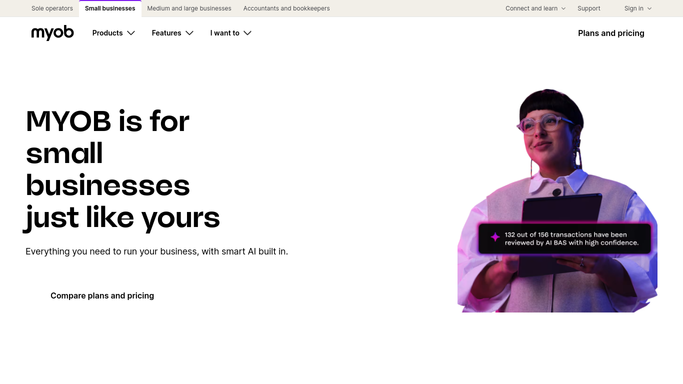
WebRun opens MYOB to find unapproved timesheets and leave. - Open MYOB and set the date range to the current pay period
- List the timesheets that are unsubmitted or submitted but not yet approved, with the employee name
- List the leave requests dated inside the period that are still pending a decision
- Note the pay run date and how many days are left before payroll has to be processed
- Read only. WebRun never approves a timesheet or processes the pay run
Done when Every unapproved timesheet and pending leave request in the period is listed with its employee.
-
2
WhatsApp - nudge the managers
whatsapp.com How to Automate WhatsApp

WebRun opens WhatsApp to nudge the managers. - Send a short internal message to your payroll and managers group
- Group the outstanding items by approving manager, so each person sees only their own list
- State the pay run date and the days remaining at the top of the message
- Keep it to your internal group. Nothing is sent to an employee's personal number
Done when Each manager has been told, by name, what they still owe an approval on.
-
3
Airtable - track readiness per pay period
airtable.com How to Automate Airtable

WebRun opens Airtable to track readiness per pay period. - Open the payroll readiness base and add a row per outstanding timesheet or leave request
- Fill in the employee, the approving manager, the item type, and the days it has been waiting
- Close off rows that were approved since the last run
- Show a readiness percentage for the period so the trend towards the pay run is visible
Done when The base shows every outstanding approval and a readiness figure for the period.
How is each run configured?
Secure by default
Connect once, stays signed in
WebRun signs in once and keeps each session in a persistent environment, so every run picks up right where it left off.
Every action is checked against this policy before it runs.
Questions, answered
Will it approve timesheets or run payroll?
No. WebRun reads MYOB and reports what is outstanding. Approving a timesheet, deciding a leave request, and processing the pay run all stay with the people who are accountable for them.
Who gets the WhatsApp nudge?
Your internal payroll and managers group, with the outstanding items grouped by approving manager. Employees are never messaged directly and no personal numbers are used.
What if someone approves an item mid-week?
It reads the live status in MYOB on every run, so anything approved since the last check drops off the list and its Airtable row is closed.
Related templates
Put this on autopilot.
Turn it on in minutes - or have our team set it up for you.