Chase unsigned artist contracts before the show date
Every morning, WebRun opens Prism.fm and finds confirmed shows whose contracts have not been returned as signed, checks the matching DocuSign envelopes for status, logs every outstanding contract in Google Sheets with the artist, show date, and days remaining, and sends a Telegram alert to the booking team for any show within 21 days that still has an unsigned deal.
- No credit card
- Under $0.01 per run
- Cancel anytime
What does WebRun do on every run?
The exact actions WebRun takes, in order - in plain language, so you can adjust anything.
-
WebRun signs in and gets to work
Opens
prism.fmin a real browser with your saved login - no setup, no API keys. -
1
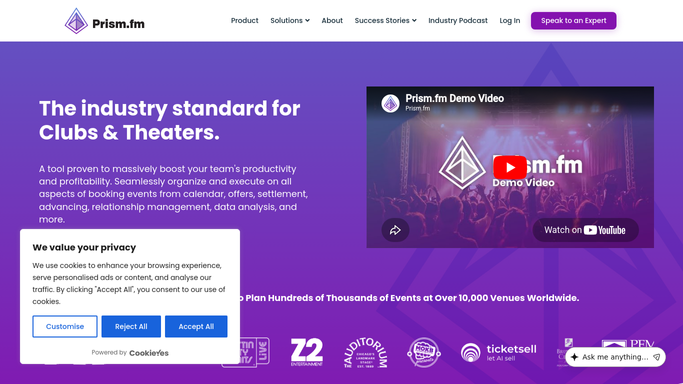
Prism.fm - find confirmed shows with unsigned contracts
prism.fm How to Automate Prism.fm

WebRun opens Prism.fm to find confirmed shows with unsigned contracts. - Open Prism.fm and list confirmed shows in the next 90 days
- Identify shows where the contract status is not yet marked as signed or returned
- Capture the artist name, show date, and the management or agent contact for each
Done when Every confirmed show with an unsigned contract is listed with its contact and show date.
-
2
DocuSign - check envelope status for each outstanding contract
docusign.com How to Automate DocuSign
WebRun opens DocuSign to check envelope status for each outstanding contract. - Look up the DocuSign envelope for each unsigned show in the sent or waiting-for-others queue
- Note the current envelope status: sent, viewed, or timed out
- Re-send a DocuSign reminder for envelopes that have been waiting more than five days without a view
Done when DocuSign envelope status is checked and stale envelopes have had a reminder sent.
-
3
Google Sheets - log unsigned contracts with days remaining
google.com How to Automate Google Sheets
WebRun opens Google Sheets to log unsigned contracts with days remaining. - Open the contract-tracking sheet and update the status row for each outstanding contract
- Record the artist, show date, days remaining, envelope status, and the last reminder date
Done when The contract-tracking sheet is current with all unsigned shows and their envelope statuses.
-
4
Telegram - alert booking team for urgent unsigned deals
telegram.org How to Automate Telegram
WebRun opens Telegram to alert booking team for urgent unsigned deals. - Send a Telegram message to the booking team group for any show within 21 days that still has an unsigned contract
- Include the artist name, show date, days remaining, and the envelope status from DocuSign
- This is an urgent internal operations alert posted automatically
Done when The booking team has been alerted in Telegram about every unsigned contract within 21 days of the show.



How do I automatically chase unsigned artist contracts before a show date?
Every morning WebRun opens Prism.fm, finds confirmed shows with outstanding contracts, checks each DocuSign envelope for status, re-sends a reminder on stale envelopes, logs every unsigned deal in Google Sheets with its countdown, and fires a Telegram alert to the booking team for any unsigned show within 21 days. No new contract is issued without your involvement.
- No show reaches 21 days out with an unsigned contract without a team alert
- Stale DocuSign envelopes are nudged automatically after five days of inactivity
- Every outstanding contract is visible in Google Sheets with a live countdown
Built for venue booking managers · talent buyers · concert promoters · live event legal and operations teams
How is each run configured?
Secure by default
Connect once, stays signed in
WebRun signs in once and keeps each session in a persistent environment, so every run picks up right where it left off.
Every action is checked against this policy before it runs.
Questions, answered
Will it send a new contract to the artist or agent automatically?
No. It only re-sends a DocuSign reminder on envelopes already issued. It does not create or send a new contract without your involvement.
What if the contract was signed through a different channel, not DocuSign?
It flags those shows in the Google Sheets log for manual review. You can mark them as signed in Prism.fm and they will be skipped on future runs.
How does it decide when to send a DocuSign reminder?
It sends a reminder only for envelopes that have been waiting more than five days without being opened, to avoid over-chasing on active negotiations.
Related templates
Put this on autopilot.
Turn it on in minutes - or have our team set it up for you.