Kick off the onboarding sequence for a new promoter partner
When a new promoter partner is added in Prism.fm, WebRun pulls their contact details, drafts a personalized welcome email in Gmail, posts a new-partner announcement to the booking team in Slack, and adds a kickoff onboarding call event to Google Calendar so the relationship starts smoothly.
- No credit card
- Under $0.01 per run
- Cancel anytime
What does WebRun do on every run?
The exact actions WebRun takes, in order - in plain language, so you can adjust anything.
-
WebRun signs in and gets to work
Opens
prism.fmin a real browser with your saved login - no setup, no API keys. -
1
Prism.fm - detect new promoter contact added
prism.fm How to Automate Prism.fm

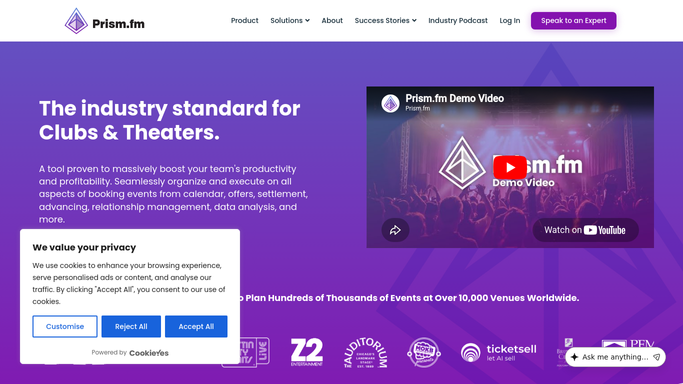
WebRun opens Prism.fm to detect new promoter contact added. - Open Prism.fm and identify any new promoter or partner contacts added since the last run
- Capture the promoter name, company, email, phone, and any notes from the contact record
Done when New promoter contact details are fully captured from Prism.fm.
-
2
Gmail - draft personalized welcome email
gmail.com How to Automate Gmail
WebRun opens Gmail to draft personalized welcome email. - Draft a personalized welcome email to the new promoter with your venue's key contact info and next steps
- Leave the draft unsent for your review before it goes to the promoter
Done when A welcome email draft is ready in Gmail for the new promoter, awaiting your approval.
-
3
Slack - post new-partner announcement to booking team
slack.com How to Automate Slack
WebRun opens Slack to post new-partner announcement to booking team. - Post a new-partner announcement to the booking team Slack channel with the promoter name, company, and a link to their Prism.fm contact
- Tag the lead talent buyer responsible for this relationship
Done when The booking team has been notified about the new promoter in Slack.
-
4
Google Calendar - add kickoff onboarding call event
calendar.google.com How to Automate Google Calendar
WebRun opens Google Calendar to add kickoff onboarding call event. - Create a kickoff onboarding call event for seven days from today with the promoter's contact details in the description
- Add it to the lead talent buyer's calendar
Done when An onboarding kickoff call is on the calendar within seven days.



How do I automatically kick off the onboarding process when a new promoter is added in Prism.fm?
When a new promoter is added in Prism.fm, WebRun captures their contact details, drafts a personalized welcome email in Gmail for your review, posts a new-partner announcement to the booking team in Slack, and creates a kickoff call in Google Calendar for seven days out. The promoter receives nothing until you approve the welcome email.
- Every new promoter gets a welcome email drafted within minutes of being added
- The booking team is notified instantly in Slack with a link to the new contact
- A kickoff call is on the calendar automatically so no new relationship stalls
Built for venue booking teams · talent buyers · concert promoters · venue partnership managers
How is each run configured?
Secure by default
Connect once, stays signed in
WebRun signs in once and keeps each session in a persistent environment, so every run picks up right where it left off.
Every action is checked against this policy before it runs.
Questions, answered
Will it email the new promoter automatically?
No. The welcome email is left as a Gmail draft for your review. The promoter receives nothing until you approve and send it.
What goes in the welcome email?
A personalized greeting with your venue's key contact, booking process overview, and next steps. You can edit the template to match your voice.
What if the same promoter is added more than once?
It checks for duplicate contact names in Prism.fm before triggering the onboarding sequence, so the same promoter is not onboarded twice.
Related templates
Put this on autopilot.
Turn it on in minutes - or have our team set it up for you.