Keep your certification prep on schedule
Every Monday, WebRun signs in to Microsoft Learn, reads your profile for the learning paths in progress, the modules completed last week, and the achievements earned, saves a dated progress log into your Google Drive study folder, and posts a short Slack summary naming the modules to finish this week to stay on track for your target exam date.
- No credit card
- Under $0.01 per run
- Cancel anytime
How do I track my Microsoft Learn certification progress each week?
WebRun signs in to Microsoft Learn every Monday, reads each learning path in progress with its completion percentage and remaining modules, and saves a dated progress log to Google Drive. It then posts a Slack summary naming the modules to finish this week and whether your pace clears the target exam date.
- Progress is measured every week instead of guessed at
- The remaining modules are broken into a plan you can finish in a week
- A dated Drive log shows the whole prep period at a glance
Built for IT professionals · cloud engineers · developers studying for exams · team leads running upskilling
What does WebRun do on every run?
The exact actions WebRun takes, in order - in plain language, so you can adjust anything.
-
WebRun signs in and gets to work
Opens
learn.microsoft.comin a real browser with your saved login - no setup, no API keys. -
1
Microsoft Learn - read your learning progress
learn.microsoft.com
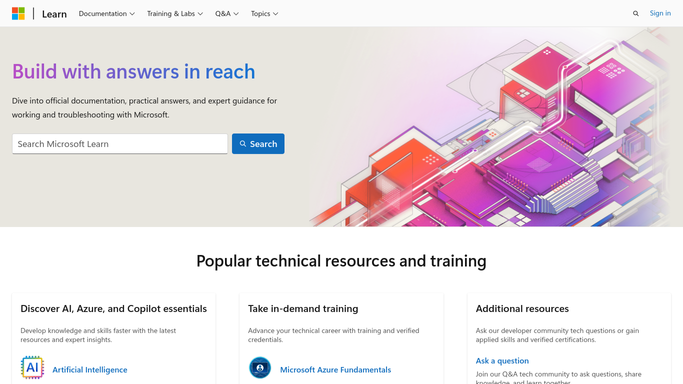
WebRun opens Microsoft Learn to read your learning progress. - Sign in to Microsoft Learn and open your profile
- List every learning path in progress with its completion percentage and the number of modules left
- Capture the modules completed since the previous run and the achievements earned
- Open the collections you use for exam prep and note which items are still unstarted
- Estimate the time left on each path using the duration Microsoft Learn shows for the remaining modules
Done when Every learning path in progress is captured with its percentage, modules left, and estimated time.
-
2
Google Drive - save the dated progress log
drive.google.com How to Automate Google Drive

WebRun opens Google Drive to save the dated progress log. - Open your study folder in Google Drive and create a dated progress log for this week
- Record each learning path, its completion percentage, and how much it moved since last week
- List the modules completed during the week and the achievements earned
- Keep the previous logs in place so the folder shows the trend over the whole prep period
Done when This week's progress log is saved in Drive alongside the earlier weeks.
-
3
Slack - post this week's study plan
slack.com How to Automate Slack

WebRun opens Slack to post this week's study plan. - Post a short summary to your learning channel with the paths in progress and their percentages
- Name the specific modules to finish this week, smallest first, with the minutes each takes
- Say how many weeks remain until the target exam date and whether the current pace clears the remaining modules
- Keep the tone practical. WebRun reports progress and never claims a certification has been earned
Done when This week's study plan is posted in Slack.
How is each run configured?
Secure by default
Connect once, stays signed in
WebRun signs in once and keeps each session in a persistent environment, so every run picks up right where it left off.
Every action is checked against this policy before it runs.
Questions, answered
Will it complete modules or book an exam for me?
No. WebRun reads your Microsoft Learn profile and reports progress. It never marks a module complete, never takes a knowledge check, and never registers or pays for an exam. Those stay yours to do.
Who sees the study plan?
Only the Slack channel you choose and your own Google Drive folder. Both are internal, so your progress is not posted publicly and your Learn profile is left unchanged.
What if I did no learning that week?
The Slack post says so plainly, shows zero modules completed, and recalculates whether the remaining modules still fit before your target date, so a quiet week is visible rather than hidden.
Related templates
Put this on autopilot.
Turn it on in minutes - or have our team set it up for you.