Automated Mercury Cash Position Scorecard
Every Monday, WebRun opens Mercury, pulls the week's ending balance and total spend, logs the numbers in Airtable alongside prior weeks to track runway, and drafts a Gmail scorecard for the founders.
How do I get a weekly summary of my Mercury cash position and runway?
WebRun pulls your Mercury balance and spend every Monday, logs the numbers in Airtable alongside prior weeks to track burn, and drafts a Gmail scorecard for the founders with an estimated runway. It never moves money itself, so founders get a consistent weekly read on cash position without building the spreadsheet by hand.
- Runway is visible every Monday instead of an occasional spreadsheet check
- Burn rate trends are tracked automatically, not recalculated by hand
- Founders get a ready to send scorecard instead of raw statements
Built for startup founders · startup finance teams · venture backed companies · solo founders
What does WebRun do on every run?
The exact actions WebRun takes, in order - in plain language, so you can adjust anything.
-
WebRun signs in and gets to work
Opens
app.mercury.comin a real browser with your saved login - no setup, no API keys. -
1
Mercury - pull balance and spend
mercury.com
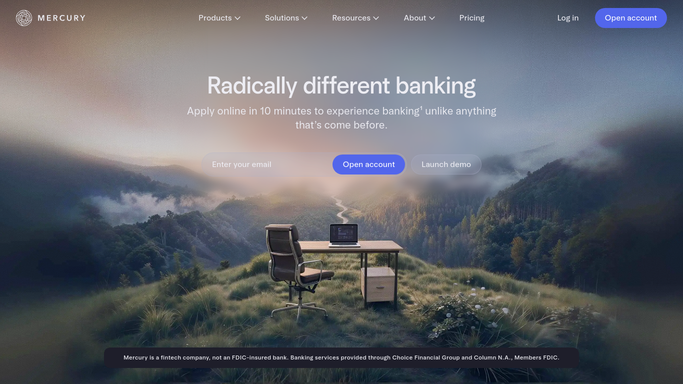
WebRun opens Mercury to pull balance and spend. - Open Mercury and check the current balance across accounts
- Total the week's spend by category
- Compare against the prior week's balance
Done when This week's balance and spend are captured.
-
2
Airtable - log the week's numbers
airtable.com

WebRun opens Airtable to log the week's numbers. - Add a row for the week with balance and total spend
- Calculate the week over week burn
- Keep prior weeks' rows untouched to preserve the trend
Done when The week's numbers are logged alongside the running trend.
-
3
Gmail - draft the scorecard
gmail.com

WebRun opens Gmail to draft the scorecard. - Draft a short scorecard with balance, spend, and burn
- Note the estimated runway at the current burn rate
- Leave it as a draft, WebRun never sends it
Done when A draft scorecard is waiting in Gmail for the founders.
How is each run configured?
Secure by default
Connect once, stays signed in
WebRun signs in once and keeps each session in a persistent environment, so every run picks up right where it left off.
Every action is checked against this policy before it runs.
Questions, answered
Will it move money or pay down anything to change the burn rate?
No. WebRun never sends a payment, issues a refund, or transfers funds on its own. It only reads balance and spend data and reports on it, leaving any transfer to you.
Does it email the founders automatically?
No. It only drafts the scorecard in Gmail. You review and send it yourself, so nothing goes out without a human checking it first.
How is runway estimated?
It divides the current balance by the average weekly burn calculated from the Airtable trend, giving a simple estimate based on live Mercury data, not a fixed assumption.
Related templates
Put this on autopilot.
Turn it on in minutes - or have our team set it up for you.