Catch Medicare enrollment windows before they close
Every morning during enrollment season, WebRun checks Medicare.gov for which of your clients have an open enrollment or special enrollment window, saves each plan comparison as a document to Google Drive, and texts you when a window is closing within 5 days, without including any personal health details in the message.
- No credit card
- Under $0.01 per run
- Cancel anytime
What does WebRun do on every run?
The exact actions WebRun takes, in order - in plain language, so you can adjust anything.
-
WebRun signs in and gets to work
Opens
www.medicare.govin a real browser with your saved login - no setup, no API keys. -
1
Medicare.gov - check open enrollment windows
medicare.gov

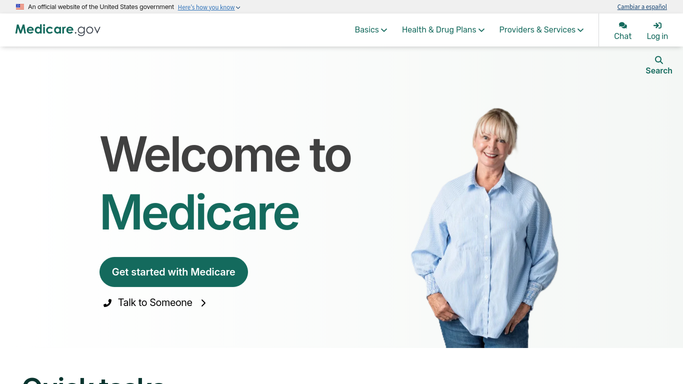
WebRun opens Medicare.gov to check open enrollment windows. - Open the plan comparison tool for each client on your tracked list
- Check whether their enrollment or special enrollment window is still open
- Note the exact date the window closes
Done when Every tracked client's enrollment window status has been checked.
-
2
Google Drive - save the plan comparison
drive.google.com How to Automate Google Drive
WebRun opens Google Drive to save the plan comparison. - Save the plan comparison summary for each open window to a client folder
- Name the file with the client reference and the window close date
- Keep only the current comparison, replacing the prior version
Done when Every open window has a saved plan comparison.
-
3
Twilio - text you before the window closes
twilio.com How to Automate Twilio
WebRun opens Twilio to text you before the window closes. - Send yourself a text for any window closing within 5 days
- Reference the client only by the internal reference you set, never by health details
- Never include plan, diagnosis, or coverage details in the text itself
Done when You have been texted about every window closing within 5 days.


How do I track client Medicare enrollment windows without exposing health details?
WebRun checks Medicare.gov every morning for which tracked clients have an open enrollment or special enrollment window, saving the plan comparison to a Google Drive folder. When a window is closing within 5 days, it texts you a reference code and the date only, with no health or plan details, so a closing window never gets missed.
- Closing enrollment windows get a text 5 days out instead of being missed
- Plan comparisons are archived without exposing details in a message
- Every tracked client's window status is checked the same morning
Built for Medicare insurance agents · benefits brokers · independent agencies · insurance agency staff
How is each run configured?
Secure by default
Connect once, stays signed in
WebRun signs in once and keeps each session in a persistent environment, so every run picks up right where it left off.
Every action is checked against this policy before it runs.
Questions, answered
Does it include any personal health information in the alerts?
No. Texts only reference a client by your own internal code and the date their window closes, never plan choices, diagnoses, or coverage details.
Will it enroll a client in a plan for us?
No. WebRun only reads window status and saves the comparison. Selecting or enrolling in a plan stays a human decision, always with the client's input.
How is the saved comparison protected?
It is saved to a folder in your own Google Drive that you control access to, and WebRun never emails or shares it outside that folder.
Related templates
Put this on autopilot.
Turn it on in minutes - or have our team set it up for you.