Digest open matters by stage for your weekly review
Every Monday morning, WebRun opens ADR Notable, reads every open matter, groups them by stage from intake through settlement, records the counts and case lists in a Google Sheet, and posts a short Slack summary so your weekly caseload review begins with the full picture already laid out.
- No credit card
- Under $0.01 per run
- Cancel anytime
What does WebRun do on every run?
The exact actions WebRun takes, in order - in plain language, so you can adjust anything.
-
WebRun signs in and gets to work
Opens
www.adrnotable.comin a real browser with your saved login - no setup, no API keys. -
1
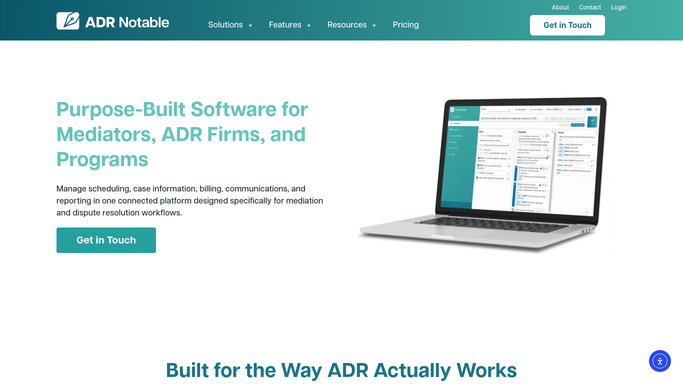
ADR Notable - read open matters and their stage
adrnotable.com How to Automate ADR Notable

WebRun opens ADR Notable to read open matters and their stage. - Open ADR Notable and list every matter with an open or active status
- Read each case's current stage, assigned mediator, and last activity date
- Group the cases by stage, from intake and agreement through session and settlement
Done when Every open matter is grouped by stage with its mediator and last activity captured.
-
2
Google Sheets - record counts and case lists by stage
google.com How to Automate Google Sheets
WebRun opens Google Sheets to record counts and case lists by stage. - Open the weekly review Google Sheet and add a new dated tab or row block
- Write the count of open matters in each stage and the change from last week
- List the case names under each stage with their mediator and days in stage
Done when This week's stage counts and case lists are written into the Google Sheet.
-
3
Slack - post the weekly caseload summary
slack.com How to Automate Slack
WebRun opens Slack to post the weekly caseload summary. - Post a short Slack summary with the count of matters in each stage
- Call out any stage that grew or shrank sharply since last week
- Link to the Google Sheet for the full case-by-case breakdown
Done when Your team has the weekly stage summary in Slack with a link to the full sheet.


How do I get a weekly digest of open mediation matters by stage?
WebRun reads every open matter in ADR Notable each Monday and groups them by stage from intake through settlement. It writes the counts and case lists into your Google Sheet with week-over-week changes, then posts a short Slack summary. Your caseload review starts with the full pipeline already laid out and nothing leaves your team.
- Monday review starts with the full pipeline already summarized
- Stage-to-stage movement is visible week over week
- The whole digest stays internal, nothing reaches parties
Built for mediators · ADR firms · practice managers · case coordinators
How is each run configured?
Secure by default
Connect once, stays signed in
WebRun signs in once and keeps each session in a persistent environment, so every run picks up right where it left off.
Every action is checked against this policy before it runs.
Questions, answered
Does this share any case details with the parties?
No. The digest is entirely internal. It writes to your private Google Sheet and posts to your team's Slack. No party, counsel, or outside contact receives anything from this workflow.
How are the stages decided?
It uses the stage each matter already carries in ADR Notable, so the digest mirrors your own pipeline from intake through settlement rather than imposing labels of its own.
Can it show what changed since last week?
Yes. It compares this week's stage counts against the prior entry in the Google Sheet and highlights any stage that grew or shrank sharply, so trends surface at a glance.
Related templates
Put this on autopilot.
Turn it on in minutes - or have our team set it up for you.