Keep every device covered and scanned
Every Monday, WebRun signs into your Malwarebytes account, lists each protected device with its last scan date and licence status, books a maintenance slot in Google Calendar for anything overdue or expiring, and messages you the coverage gaps on WhatsApp.
- No credit card
- Under $0.01 per run
- Cancel anytime
How do I check that all my devices are still protected and scanned?
WebRun signs into your Malwarebytes account every Monday and reads each protected device, its last scan date, and the subscription expiry. It books a Google Calendar maintenance slot for devices that are overdue or unprotected, adds a renewal reminder, and messages you the coverage gaps on WhatsApp.
- A device with protection switched off is spotted within a week
- Licence expiry gets a two week warning instead of a lapse
- Maintenance lands in the calendar rather than on a mental list
Built for small business owners · IT generalists · managed service providers · office managers
What does WebRun do on every run?
The exact actions WebRun takes, in order - in plain language, so you can adjust anything.
-
WebRun signs in and gets to work
Opens
my.malwarebytes.comin a real browser with your saved login - no setup, no API keys. -
1
Malwarebytes - check device coverage
malwarebytes.com
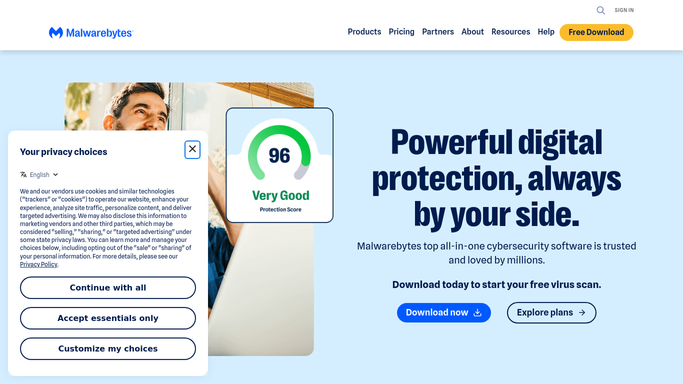
WebRun opens Malwarebytes to check device coverage. - Sign into your Malwarebytes account and open the devices list
- Record each device name, its last scan date, and whether protection is active
- Read the subscription expiry date and how many seats are in use
- Flag devices with no scan in 14 days, devices showing protection off, and a licence expiring within 30 days
Done when Every device has a last scan date and a coverage status, and the licence expiry is known.
-
2
Google Calendar - book the maintenance slot
calendar.google.com How to Automate Google Calendar

WebRun opens Google Calendar to book the maintenance slot. - Open Google Calendar and look for an existing maintenance slot this week
- Book a 30 minute slot when any device is flagged, listing the devices in the event description
- Add a separate reminder two weeks before the licence expiry date
- Skip booking if a maintenance slot for the same devices already exists
Done when Flagged devices have a maintenance slot on the calendar and the licence has a reminder.
-
3
WhatsApp - message you the gaps
whatsapp.com How to Automate WhatsApp

WebRun opens WhatsApp to message you the gaps. - Send the weekly coverage summary on WhatsApp
- List every device with protection off first, then devices overdue for a scan
- Close with the licence expiry date and the days remaining
Done when You have this week's device coverage summary on WhatsApp.
How is each run configured?
Secure by default
Connect once, stays signed in
WebRun signs in once and keeps each session in a persistent environment, so every run picks up right where it left off.
Every action is checked against this policy before it runs.
Questions, answered
Will it run scans or change my protection settings?
No. WebRun only reads the device list and licence status in your account. Starting a scan, quarantining a file, or changing protection settings stays with you.
Will it renew my subscription?
No. It books a calendar reminder two weeks before expiry. Renewing, entering payment details, or changing your plan are never done by WebRun.
What counts as an overdue device?
Any device with no scan in the last 14 days, or with protection showing as off. You can set a different window when you turn the workflow on.
Related templates
Put this on autopilot.
Turn it on in minutes - or have our team set it up for you.