Hand off finished Libsyn episodes to your editor
Every morning, WebRun opens Libsyn, checks uploaded episodes for show notes, art, and category tags, blocks a publish slot on Google Calendar for episodes that are ready, and posts a Teams handoff note for anything still missing.
- No credit card
- Under $0.01 per run
- Cancel anytime
What does WebRun do on every run?
The exact actions WebRun takes, in order - in plain language, so you can adjust anything.
-
WebRun signs in and gets to work
Opens
www.libsyn.comin a real browser with your saved login - no setup, no API keys. -
1
Libsyn - check unscheduled episodes
libsyn.com

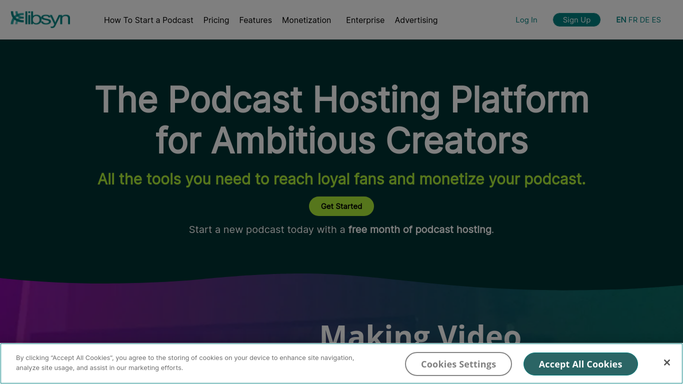
WebRun opens Libsyn to check unscheduled episodes. - Open Libsyn and list episodes uploaded but not yet scheduled
- Check each for show notes, episode art, and category tags
- Note what's missing before it can be scheduled
Done when Every unscheduled episode has its readiness status recorded.
-
2
Google Calendar - block the publish slot
calendar.google.com How to Automate Google Calendar
WebRun opens Google Calendar to block the publish slot. - Block the next open publish slot for each ready episode
- Set a reminder the morning it's due to go live
- Leave slots empty for episodes still missing something
Done when Every ready episode has a publish slot on the calendar.
-
3
Microsoft Teams - hand off to your editor
microsoft.com How to Automate Microsoft Teams
WebRun opens Microsoft Teams to hand off to your editor. - Post a handoff note naming the episode and what's still needed
- Tag your editor or show notes writer
- Leave scheduling and publishing to the team
Done when Your editor has today's handoff note in Teams.


How do I hand off unfinished Libsyn episodes to my editor?
WebRun checks Libsyn every morning for episodes uploaded but not yet scheduled, confirming each has show notes, episode art, and category tags. It blocks a publish slot on Google Calendar for episodes that are ready, and posts a Teams handoff note naming what's still missing on the rest, so your editor always knows exactly what to finish next.
- Editors know exactly what's missing without checking Libsyn themselves
- Publish slots never sit unblocked on the calendar
- Episodes only go live once show notes and art are done
Built for podcast producers · podcast editors · show runners · podcast networks
How is each run configured?
Secure by default
Connect once, stays signed in
WebRun signs in once and keeps each session in a persistent environment, so every run picks up right where it left off.
Every action is checked against this policy before it runs.
Questions, answered
Does it schedule or publish episodes itself?
No. WebRun blocks a calendar slot and flags what's missing. Actually scheduling or publishing on Libsyn is left to your team.
What does the handoff note include?
The episode name and exactly what's still missing, show notes, art, or tags, so your editor knows exactly what to finish.
What if an episode is already fully ready?
It still gets a calendar slot, but no handoff note goes out since there's nothing left for your editor to do.
Related templates
Put this on autopilot.
Turn it on in minutes - or have our team set it up for you.